


Introduction
Designing your own van or camper is a great opportunity to create a living space that perfectly fits your needs while also saving money. However, before diving into this exciting adventure, it’s essential to plan your project thoroughly. This is where 2D and 3D design software comes in handy, allowing you to optimize every square inch of your vehicle.
In this article, we’ll explore the benefits of crafting your van’s interior yourself, highlighting the financial advantages and the freedom to choose your materials. Then, we’ll introduce you to three popular software tools to assist you in this task: SketchUp, HomeByMe, and Vanspace 3D. Each of these tools has its own features, pros, and cons, which we will detail to help you make the best choice.
Why Design Your Van’s Interior Yourself?
Cost Savings
Designing your van’s interior yourself can lead to significant savings. By avoiding labor costs, you can allocate your budget towards high-quality materials or specific equipment. Additionally, you have the freedom to choose more economical materials, which can considerably reduce the overall cost of your project. For example, you can opt for plywood instead of solid wood for certain parts of the interior. By doing the work yourself, you also avoid the markup that professionals add to their quotes.
Material Choices
One of the major advantages of self-designing is the freedom to choose your materials. Whether you prefer eco-friendly materials like bamboo or cork, or high-end materials for a luxurious finish, the choice is yours. You can customize the interior of your van to fit your needs and aesthetic preferences. For example, if you are sensitive to chemicals, you can choose paints and varnishes that are free of VOCs (volatile organic compounds). This customization allows you to create a space that truly reflects your personality.
Space Optimization with Software
Space optimization is crucial in a van, where every inch counts. Using design software allows you to maximize the available space. These tools enable you to simulate the layout in 2D and 3D, which is essential for ensuring everything fits perfectly. With this software, you can test different configurations and avoid costly mistakes during construction. Additionally, you can visualize the final effect, which is very useful for ensuring the layout meets your expectations.
Why Choose SketchUp for Designing Your Camper Van?
General Description
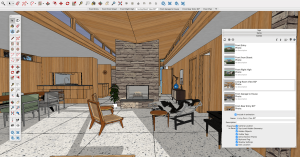 SketchUp is a powerful and versatile 3D modeling software, ideal for designing complex spaces such as your camper van layout. It allows you to create detailed plans and realistic models, which is crucial for optimizing every inch of your living space. Whether you’re a beginner or an expert in design, SketchUp offers a variety of tools to bring your ideas to life. Additionally, its free online version makes it particularly attractive for personal projects.
Advantages of SketchUp
Among SketchUp’s many strengths is its free web version. You don’t need to spend a dime to enjoy its basic features, which is a huge advantage if you’re just starting with van conversions. Moreover, SketchUp is compatible with both Windows and Mac, allowing you to work on any computer.
Another highlight is the 3D Warehouse object library, which contains thousands of models of objects and furniture. You can easily find 3D models of vehicles like the Peugeot Boxer or Fiat Ducato. This extensive library greatly facilitates the customization of your design by adding realistic elements to your project.
Disadvantages of SketchUp
However, SketchUp also has its drawbacks. The learning curve is quite steep. Mastering SketchUp requires time and patience, especially if you have no prior experience with 3D modeling software. It’s not specifically designed for vans, which can complicate things if you’re looking for turnkey solutions for your camper conversion. Lastly, SketchUp is only available on computers, which can be limiting if you prefer working on a tablet or smartphone.
Why Use HomeByMe for Designing Your Camper Van?
General Description
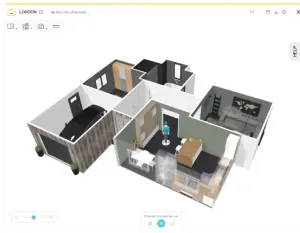 HomeByMe is an online 2D and 3D design tool developed for interior design. Originally intended for home design, HomeByMe allows you to create detailed plans and visualize your projects in three dimensions. You can create rooms, add furniture and decorations, and see the final rendering with just a few clicks. It’s an intuitive tool suitable for both beginners and more experienced users.
Advantages of HomeByMe
One of HomeByMe’s main strengths is its ease of use. Its intuitive interface lets you quickly get acquainted with the various features. You don’t need to be an expert to create realistic and detailed plans. Additionally, HomeByMe offers numerous decoration and furniture options, allowing you to customize your layout to your heart’s content. Whether you want to test different wall colors, try various furniture arrangements, or add accessories, the possibilities are nearly endless.
Another notable advantage is that HomeByMe is available on multiple platforms: web, iOS, and Android. This allows you to work on your project from your computer, tablet, or smartphone. It’s very convenient for making modifications wherever you are, whenever you have the time.
Disadvantages of HomeByMe
However, HomeByMe also has some limitations. It is less suited for small spaces and camper vans. Since it was primarily developed for home design, some features might not be optimized for the smaller dimensions of a van. You may need to get creative to adapt the tools to your specific needs. Despite this, it remains an excellent starting point for visualizing and planning your conversion project.
Why Use Vanspace 3D for Designing Your Camper Van?
General Description
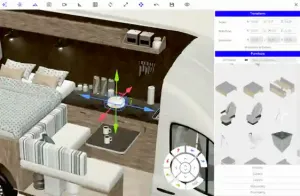 Vanspace 3D is software specifically designed for planning the layout of vans and campervans. It allows you to create detailed and realistic plans of your customized vehicle. With an intuitive interface and tailored features, Vanspace 3D simplifies the design and optimization of your mobile living space. Whether you’re a beginner or an experienced designer, this software guides you step-by-step to create the van of your dreams.
Advantages of Vanspace 3D
Vanspace 3D offers several benefits for vanlife enthusiasts. First, it has a database with over 100 vehicle models. You can easily find the exact model of your van or camper, which is an excellent starting point for your project. Additionally, the software provides numerous customizable furniture and objects that you can adjust according to your needs and preferences. This feature allows you to visualize the complete layout and test different configurations.
Another major advantage of Vanspace 3D is its ease of use. Even if you’ve never used design software before, you’ll quickly feel comfortable. Tutorials and a clear interface guide you throughout the process. It’s an ideal tool for beginners who want to start without stress.
Disadvantages of Vanspace 3D
Despite its many advantages, Vanspace 3D has some limitations. The software offers less detailed customization compared to more advanced tools like SketchUp. You might feel a bit restricted if you want to create very specific or unique elements. Additionally, Vanspace 3D is designed for use only on computers, which can be a drawback if you prefer working on a tablet or smartphone.
Our Opinion
Vanspace 3D is a fantastic tool for vanlife enthusiasts, offering simplicity and a wealth of options to visualize your camper layout. Its focus on vans makes it a top choice for your project. Ready to start designing your dream van? Give Vanspace 3D a try!
How to Choose the Right Design Software?
Evaluate Your Specific Needs
To choose the best design software, start by assessing the complexity of your conversion project. A simple project may only require a basic tool, while a more complex layout will need more powerful software. Consider your technical skills and experience with design software: some are more intuitive, while others have a steeper learning curve.
Try Multiple Software Options
It’s wise to test several free software options to get a feel for their features and ease of use. Take advantage of trial versions and online tutorials to facilitate the learning process. Trying multiple tools will help you find the one that best meets your needs and expectations.
Consider Reviews and Recommendations
Reviews from other vanlifers and professionals are invaluable. Reading online reviews can give you insights into the pros and cons of each software. Additionally, check out forums and specialized discussion groups to get personalized advice. User feedback can help you avoid mistakes and choose the software best suited to your project.

We're Caroline and Xavier
We got most of it wrong before we got it right. We share what actually holds up day to day in a van, and what we wouldn't do again.
Ce que vous souhaitez recevoir :