


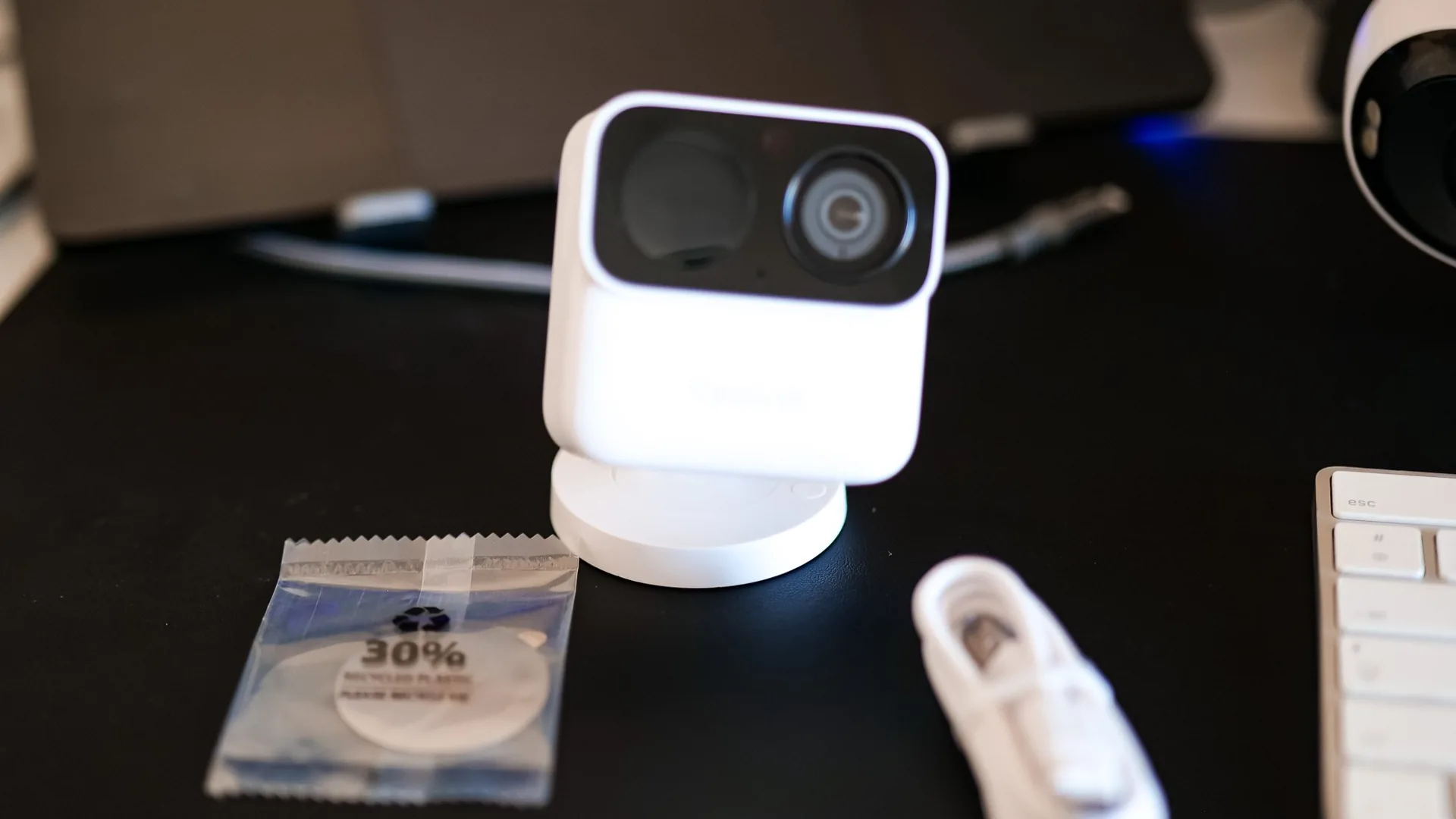
I had been waiting for a new little Reolink for a while, and here it is, the Argus MagiCam (yes, “Magic” plus “Cam”, we’ll see right away if the magic works). Reolink and I have been working together for almost three years, and personally, I’ve always had a soft spot for their tiny cameras, the ones you slip into the camper without a second thought.
Argus MagiCam promo code
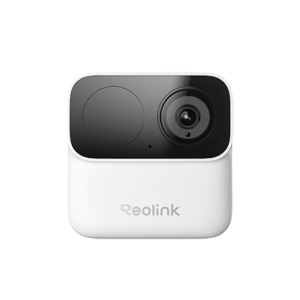 In stock
Argus MagiCam
CARO51*
*Verified price on 23 August 2026. The final price may vary.
Why this camera spoke to me right away
So, a little backstory. I used to roll with an Argus 2E in the camper, and believe it or not, it’s still there, faithfully on duty. For me, it was the perfect camera for this use, small, autonomous, you forget about it and it works. I also had a big crush on the Argus 3 Pro, in the same spirit.
Then those two disappeared from the catalog, and the next generations seemed to get a bit bulkier each time, still usable in a van, but clearly designed to be mounted on the wall of a house. So naturally, when I saw a MagiCam that returns to the truly compact format, I wanted to dive back in.
Unboxing: but it’s tiny
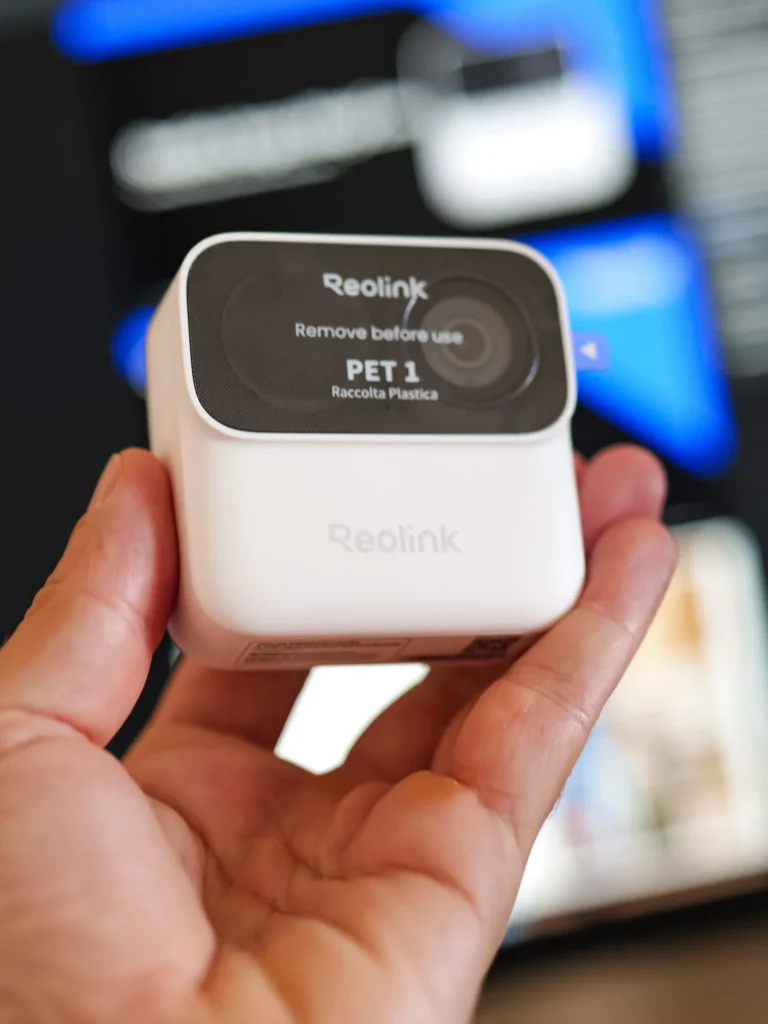
The first shock upon opening the package was the box. It’s tiny, almost as small as some cameras I had received in the past. And when I took the device out, I really felt like I was holding an action camera, like a GoPro, Insta360, or DJI. For a few seconds, I even wondered if Reolink had sent the wrong box (no, it was indeed a surveillance camera, but wow, is it small).
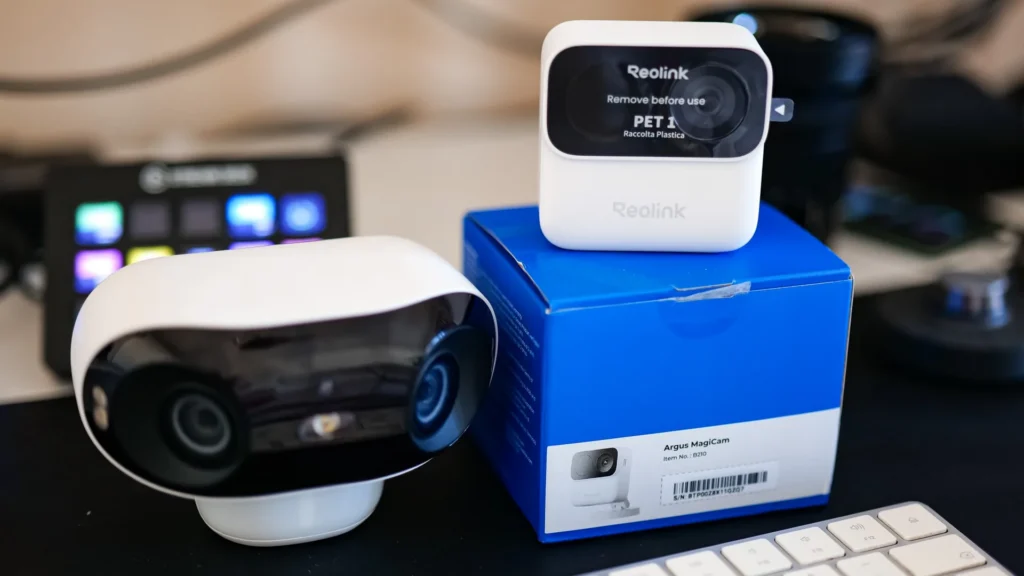
The photo speaks for itself; I placed it next to an Argus 4 Pro to give you an idea, and you immediately understand which weight category we’re playing in.
Argus MagiCam vs Argus 3 Pro vs Argus 3 Ultra

£42,49
See the product
|

£64,99
See the product
|
£84,99
See the product
|
|
|---|---|---|---|
| Net Weight | 0.11 kg (0.24 lb) | 0.33 kg (0.73 lb) | 0.34 kg (0.74 lb) |
| Dimensions | 68.00 mm (2.68 in) | 121.00 mm (4.76 in) | 127.00 mm (5.00 in) |
| Application | ✓ | ✓ | ✓ |
| Warranty | 2.00 an | 2.00 an | 2.00 an |
| Noise | - | - | - |
| Life Cycles | - | - | - |
| Operating Temperature | -10~55 | -10°C to 55°C | -10°C~+55°C |
| Waterproof Rating | 67.00 % | 65.00 % | 65.00 % |
| Horizontal Field of View | 113.30 | 105.00 | 105.00 |
| Vertical Field of View | 62.70 | 55.00 | 55.00 |
| Diagonal Field of View | 132.00 | - | 125.00 |
| Video Resolution | 2.00 MP | 4.00 MP | 8.00 MP |
| Night Vision | Infrared night vision | Colour night vision (spotlight) + infrared | Colour night vision (spotlight) + infrared |
| Smart Detection | Person, vehicle | Person, vehicle | Person, vehicle |
| Connectivity | Dual-band Wi-Fi (2.4/5 GHz) | Dual-band Wi-Fi (2.4/5 GHz) | Dual-band Wi-Fi (2.4/5 GHz) |
| NVR Compatible | ✗ | ✗ | ✗ |
| Storage | microSD card, Home Hub or cloud | microSD card, Home Hub or cloud | microSD card, Home Hub or cloud |
| Audio | Two-way audio | Two-way audio | Two-way audio |
| Video Compression | H.264 | H.265 | H.265 |
| Capacity | - | 22.20 Wh | 21.60 Wh |
| LED Lighting | - | ✓ | - |

I'm Xavier
I test gear over months, in the van and day to day, and I say what doesn't work. If that saves you one bad purchase, leave me your address.
Ce que vous souhaitez recevoir :
A little robot from Reolink
Despite its little action cam look, you immediately recognize the Reolink touch. I don’t know if it’s just me, but I think their cameras have a real personality; it’s like they have eyes, a mouth, a face. I always see them as little robots observing their surroundings, almost wanting to say hello.
By the way, one point I wanted to clarify, because it made me hesitate for a second, the MagiCam has only one lens. The big black circle next to it is not a second lens; it’s the motion sensor (the PIR) and the infrared LED for night vision. There, now that’s clear.
The owner’s tour
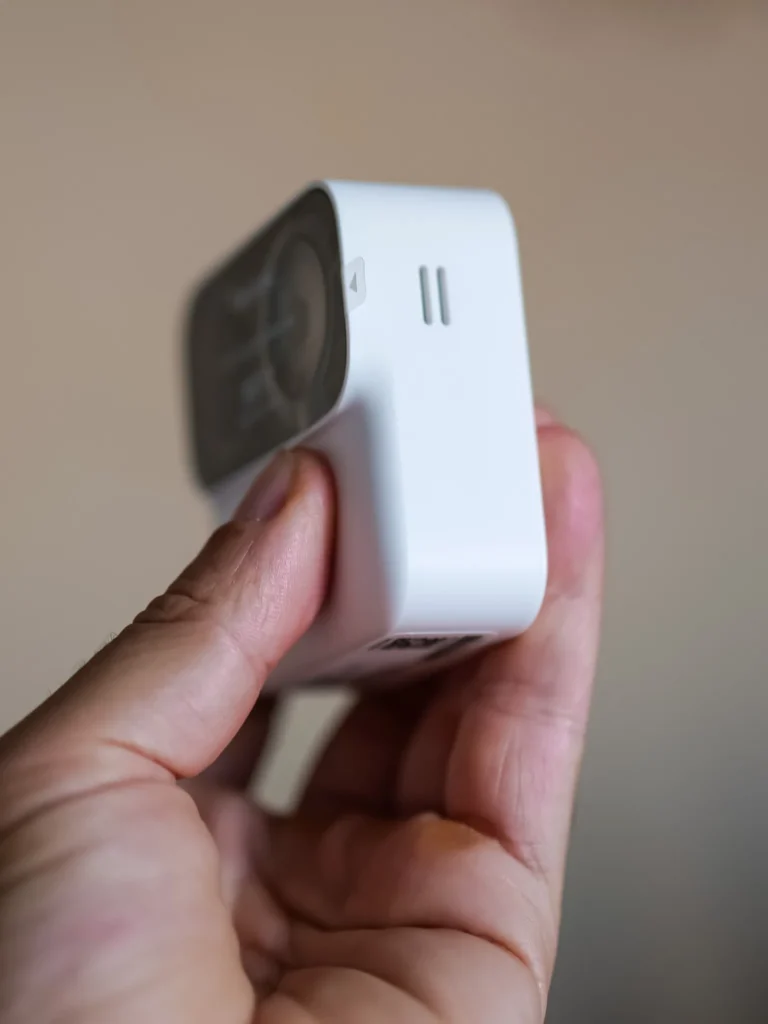
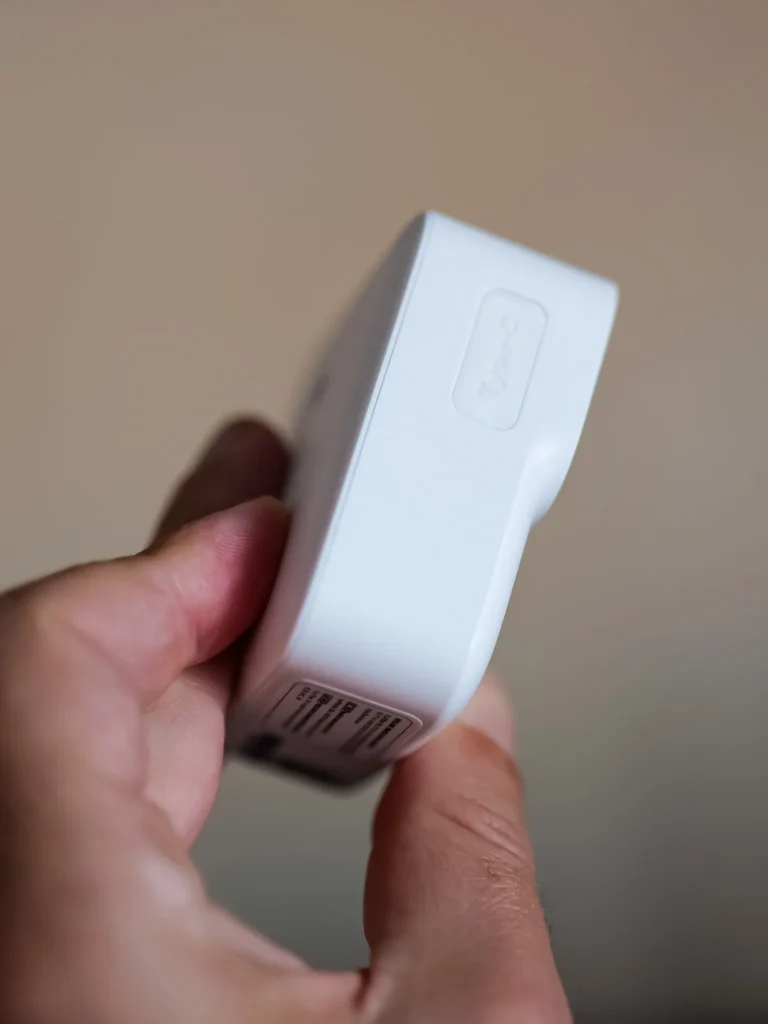
Turning it around, you find a USB-C port and a small grille that looks very much like a speaker. And as always on a surveillance camera, my first instinct is to look for where to slide in the microSD card. There, surprise, you actually unclip the entire back thanks to a little notch. One small detail in passing, the cable in the box is a USB-A to USB-C; I would have preferred USB-C to USB-C, which is becoming the standard everywhere, but well, I’m nitpicking.
The surprise of AA batteries (and why I changed my mind)
And it was when I opened this back compartment that I stumbled upon something that took me back a few years, a slot for AA batteries. My first reaction, I won’t hide it, was total astonishment, batteries in 2026, while everyone is giving us built-in batteries (the batteries are included in the box, by the way).
Then I thought for two minutes, and my opinion did a 180-degree turn because honestly, it’s an excellent idea. The built-in battery is often the first thing that dies on this kind of device, and the day it gives up, you’re left buying a whole new camera. Here, there’s no proprietary battery to buy, no surgical disassembly; you replace two batteries and you’re good to go. This could genuinely extend the product’s lifespan, and I personally applaud that.
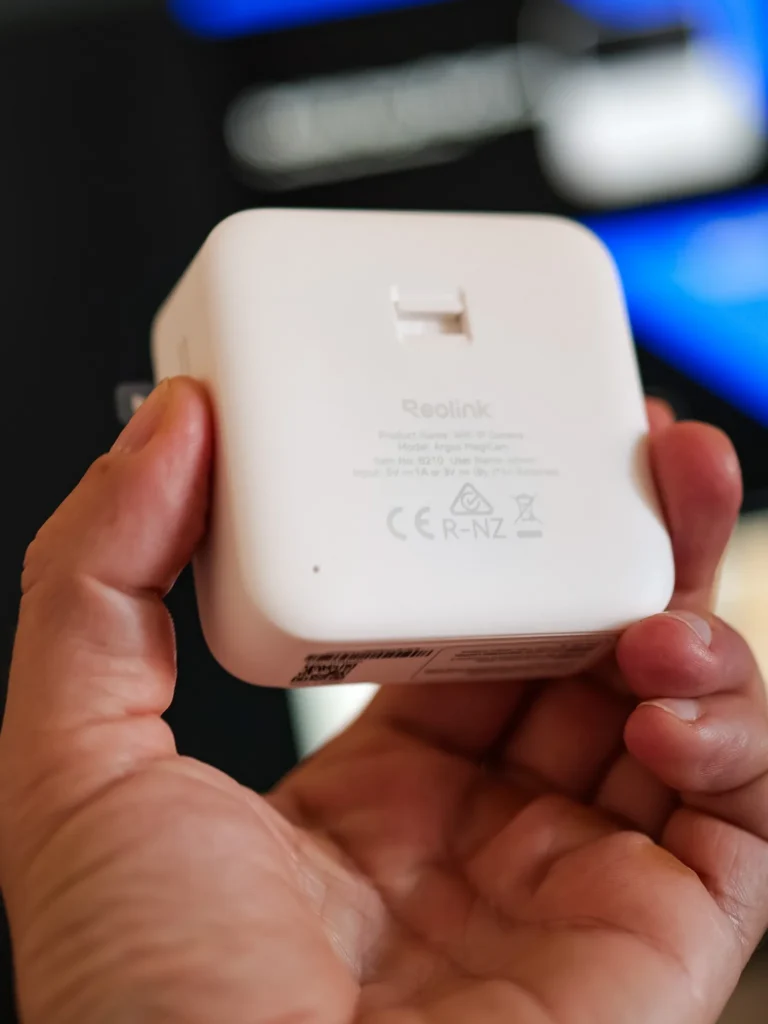
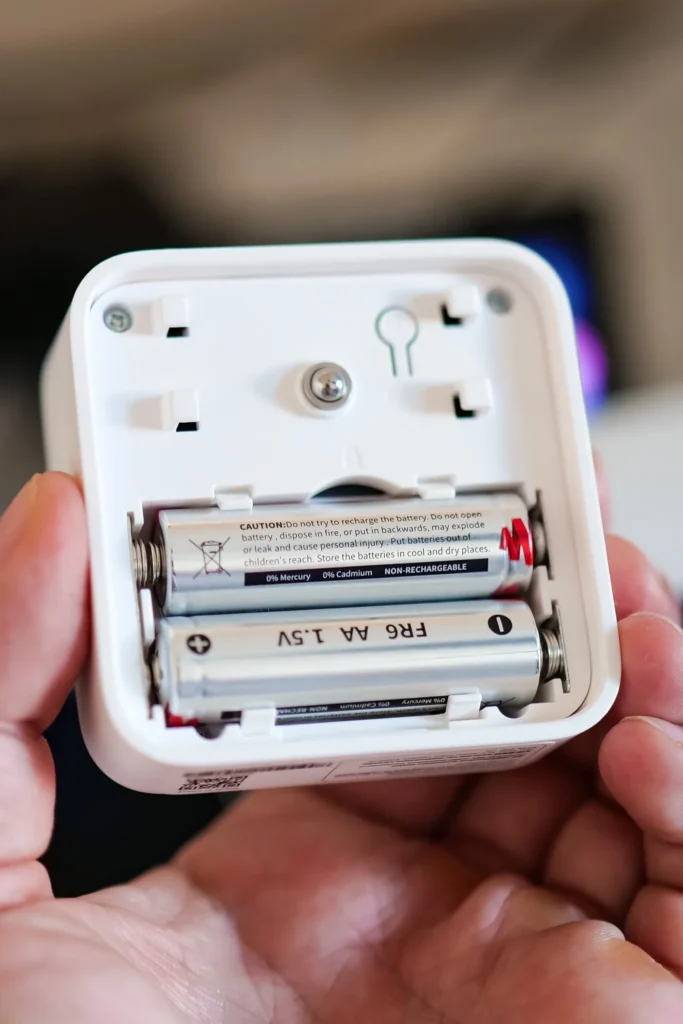

Storage: microSD, Home Hub, or cloud
The microSD slot is hidden behind this removable face. My unit arrived with a 64 GB card, and the camera accepts up to 256 GB. Reading the documentation, nothing indicates internal memory, so everything relies on three options: the microSD card, a Reolink Home Hub, or the cloud. And the big advantage here is that there’s no mandatory subscription; local storage is included (a detail that changes everything when you know some competitors charge for every function).

Speaking of the Home Hub, I had already discussed it in detail; it’s the little brain that centralizes all your cameras and storage in one place, so you don’t have to multiply microSD cards everywhere. The MagiCam integrates seamlessly, though I’ll come back to this a bit further down, because in nomad mode I’m not convinced it’s the best idea.
Reolink Home Hub – The Ultimate Command Center for Your Cameras
The Reolink Home Hub is like the missing piece for anyone looking to secure their home without adding unnecessary complications. Designed as a plug-and-play digital recorder, it lets you easily...
Read moreThe magnetic system like MagSafe
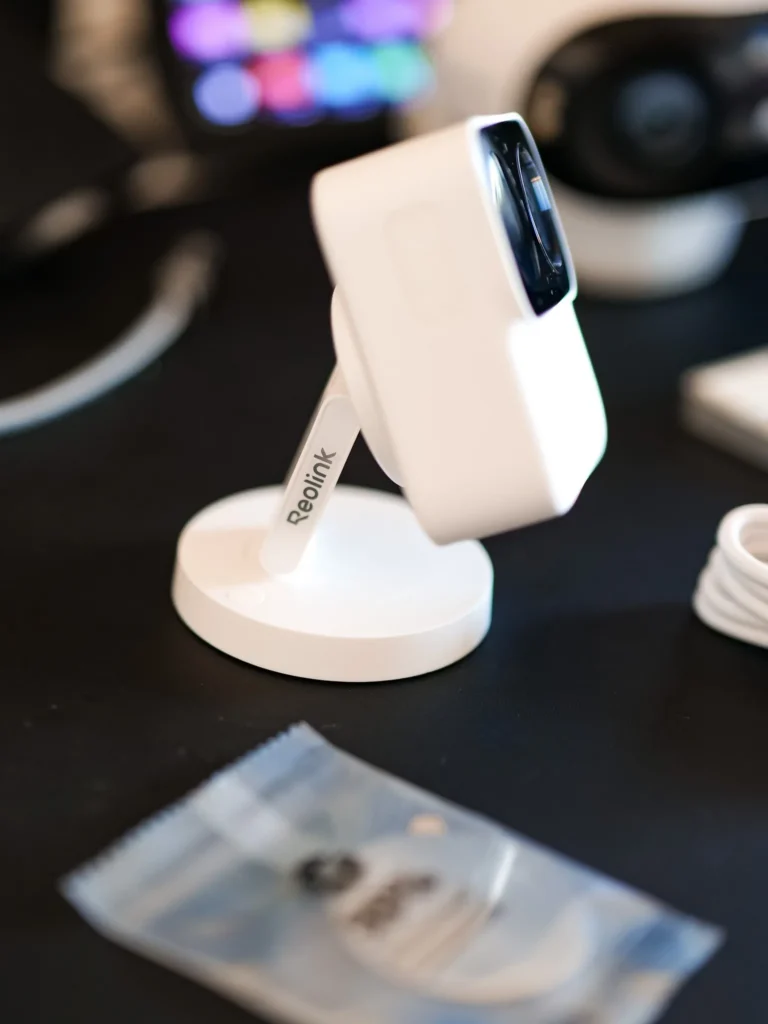
When closing the back of the camera, I immediately felt the strength of the magnet, and the closure inspires confidence; it’s a real magnetic system, not a cheap fridge magnet. The camera also comes with a magnetic mount that immediately reminded me of Apple’s MagSafe; same principle, a fixed mount, a magnetic piece, and boom, it positions itself in a second.
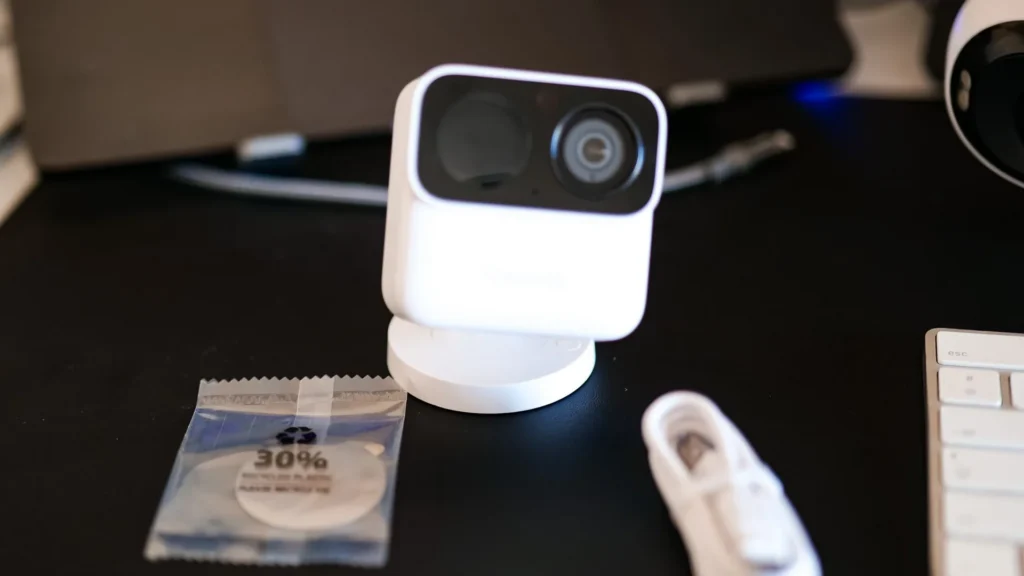
I even tried to use it as a MagSafe mount for my phone (don’t laugh), it obviously doesn’t work at all, but it made me laugh. And that magnet, it turns out, is the real star once you’re out in the field, I’m getting to that.
Installation: QR codes and a little mishap
Well, this isn’t my first Reolink installation, and this one stayed very classic. We add a device in the app, scan the QR code under the camera, and at one point, it’s the phone that displays a QR code that the camera must scan in turn.
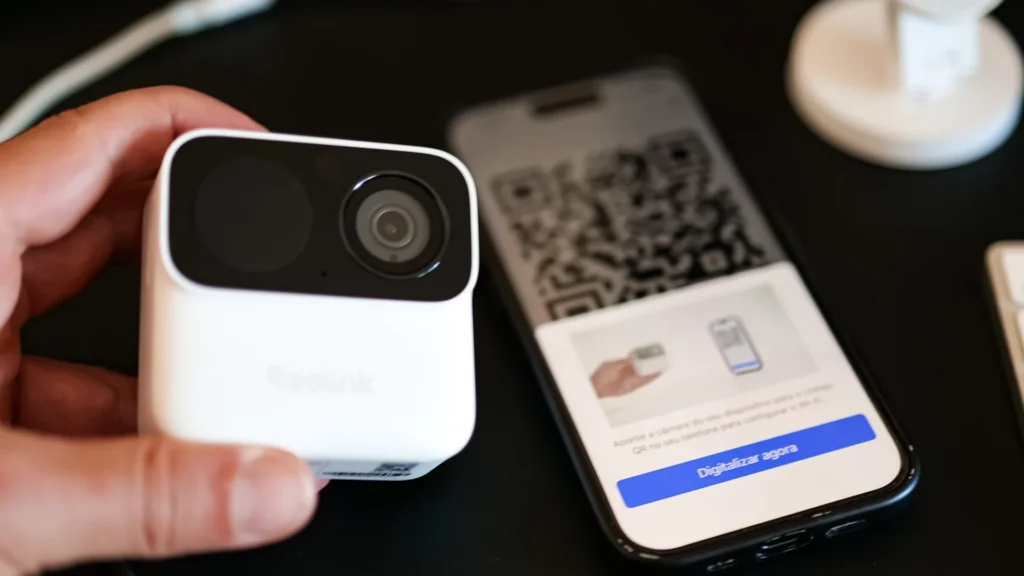
And there, a little moment of solitude, the camera stubbornly refused to scan the code displayed on my screen. I searched, turned the phone in every direction, and after a while, the light bulb went off in my mind before it did on the camera; it simply wasn’t turned on (yes, yes, the batteries were in, but the device was off, well done Xavier). Once turned back on, the scan worked on the first try, and the pairing went smoothly.
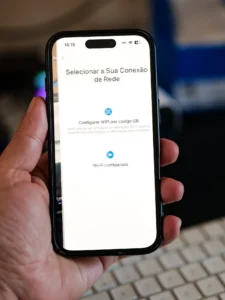
By the way, I thought Reolink had removed the startup voice announcements, but no, it was once again my camera that was off. Once powered on, the little guiding voice is indeed there. So, I can’t tell you if they’ve changed the messages compared to previous generations; I’ll let you know later.
The Reolink app: a Boeing cockpit
Once the camera is in place, we find a familiar interface, and above all, a mountain of settings. I honestly think that most people will never use 20 percent of the options offered (me included, probably). There’s plenty to keep you busy: battery level, Wi-Fi status, audio, motion detection, alarms, notifications, siren, Alexa integration, private mode, time-lapse, and more.
First impressions on the image
I took a screenshot and a photo directly from the video stream, without any editing. We’re at 1080p, and for a camera of this size, I find the level of detail good, the colors decent, and the field of view quite generous (132 degrees diagonally, nonetheless). I noted a slight delay between movements in front of the camera and their display on the phone, but nothing shocking for a security camera. And once the video was recorded and played back, the image and sound remained perfectly synchronized.

And while I’m at it, I’ve included a little video preview of the beast in action (filmed during the installation, you’ll see me in deep concentration, headphones on).
Be careful though, we’re still dealing with an entry-level camera, so no 4K or color night vision here; we’re on classic infrared. You need to know that before buying.
Off to Portugal, with Vasco the cat
Right, up to here it was all theory, the home test, the tidy unboxing on the desk. But the real question, as you know, is how it holds up in real life, out on the road. So we loaded up the camper and set off for a little road trip in Portugal, from the Algarve over to the west coast, around Porto Covo, about a fortnight before the summer solstice.
And this time, big news on board, we’re travelling with Vasco the cat. Vasco is a teenager on four legs, restless nights, dead keen to head out and party the moment the sun goes down. We started taking him out on a leash, then more and more freely, and he very quickly worked out that the camper was his home, his safe place (the second a dog or a car goes by, off he darts to take shelter inside). Trouble is, we need to work inside, or sometimes go grab a bite somewhere he won’t follow. And that’s exactly where the MagiCam turned up right on cue, like the eye of Sauron, to keep watch over Vasco (and the vehicle while we’re at it).
The real game changer: you stick it absolutely anywhere
And this is where I understood the single strongest thing about this camera, the one I hadn’t really suspected at unboxing. That magnet changes everything. The moment there’s a metal surface, you place the camera in two seconds, you move it, you reposition it, it’s disarmingly simple.
The clearest example is when we’d take Vasco out: I’d just stick the camera straight onto the camper’s wing mirror (all metal), and I had a top-down view over the whole area around the vehicle. Two seconds to put it up, two seconds to take it down, and plenty of spots to choose from. It really is spot on. It’s that action cam format, that GoPro feel, that makes this mobility possible, and honestly I reckon this camera is going to become a little best-seller for people living the van or camper life, because it’s just far too handy.
A battery life that seems to never end
The other huge pleasant surprise is the battery life. Over the whole trip, I felt like it stayed available the entire time, like it never ran down. Honestly, when it comes to power, this camera has something almost eternal about it, it’s borderline absurd.
And in a camper, trust me, that’s a serious argument. When you live off your batteries, even with decent solar panels, you count every watt, and any device you don’t have to recharge off the vehicle’s circuit is a pure win. Here, with its batteries, the MagiCam counts for nothing in the energy budget, it just lives its own little life in the corner. I remain a bit sceptical about the 9-month figure (I reckon it’s more a usage time per set of batteries than an actual lifespan), but on the ground, I never once had to worry about it.
One little downside though, and this one genuinely surprised me. Unlike most other Reolink cameras (the Argus 4 Pro, the Argus 2E and the rest), the MagiCam does not take a solar panel. It has no port for one, and since its batteries aren’t rechargeable anyway, there’s no topping it up from the sun. So the day the batteries run flat, it’s a battery swap, not a little panel quietly refilling it. On a product so clearly built for nomad use, I find that a bit of a shame, it’s pretty much the only thing that bugs me. That said, given the monstrous lifespan of the lithium cells, in practice you don’t really complain about it.
The Wi-Fi trap in a camper (read this before you take it away)
Now, careful here, big important point, and I partly owe it to a reader who wrote to tell me “it works great at home but not at all in my camper.” And I completely understand the issue, because it’s a classic trap.
On my side, I have a little 5G modem that I carry between the house and the camper, so the camera worked first time without me even thinking about it. But if you don’t have that kind of router on board, plan for one, otherwise you’ll think the camera is broken when really it’s just the network that’s missing.
Home Hub or a direct link to the phone?
So, a little practical tip drawn from experience. Remember the Home Hub I mentioned earlier? At home, to centralize a bunch of cameras, it’s great. But in nomad mode, I’d rather recommend linking the MagiCam directly to your phone (via the van’s modem), without going through the Hub.
The reason is very silly, but take it from my experience, disconnecting then reconnecting a Reolink, pulling a camera out of a Home Hub to take it elsewhere, is a nightmare (re-entering the passwords, redoing the setup, and so on). Better to pick the right setting from the install depending on your use, fixed at home or nomad in the van, and never touch it again.
Waterproofing, I stay cautious
On paper, the MagiCam is rated IP67, so resistant to water and dust. But I’ll be honest with you, I wouldn’t dream of dunking it in water or leaving it outside in heavy rain. With the openings it has (the grille, the ports), I’m not convinced that’s really what it’s made for. In nomad use, I see it more as an indoor camera, or at least placed somewhere sheltered. Let’s say I’d rather be cautious than have to buy a drowned camera.
The one thing I haven’t been able to test yet
To be completely upfront with you, there’s one point left for me to check, the night vision. We were about a fortnight from the summer solstice, the nights were short, and above all Vasco came back to curl up warm in the evening, so I simply didn’t get the chance to put it through its paces in the dark. I promise I’ll give you a dedicated follow-up on this as soon as I can, because it’s an important criterion on a security camera.
My verdict, this time for real
So, did the magic happen? Yes, and clearly more than I expected at unboxing. What won me over at home (the pocket format, the magnetic system, the replaceable batteries) was confirmed in the field, and the “I stick it wherever I want in two seconds” side flat-out became my number one argument. If you’re hesitating between models, I actually have a comparison of wireless standalone cameras that can help clarify things for you.
On price, it stays very gentle (the truly slashed price I thought I’d spotted at first was actually a two-camera bundle, don’t get caught out like me). At this price point and given how handy it is, I can recommend it with my eyes closed, and I’ll even be blunt, if you have a camper and you don’t get one, you’re still missing out on a seriously clever little tool.
The good Reolink deal
And as usual with Reolink, there’s a way to lower the bill with our in-house promo code; it would be a shame to miss out on that.
CARO51

PS: Vasco, for his part, never once noticed the camera, and just as well, because I suspect his nightlife is a fair bit busier than mine. See you very soon for the night vision test. 😉
Equipping your van, security included
Batteries, solar, conversion, security. What we found after months of real use, and what we would not buy again. An email when we have actually tested something, not before.
Ce que vous souhaitez recevoir :