


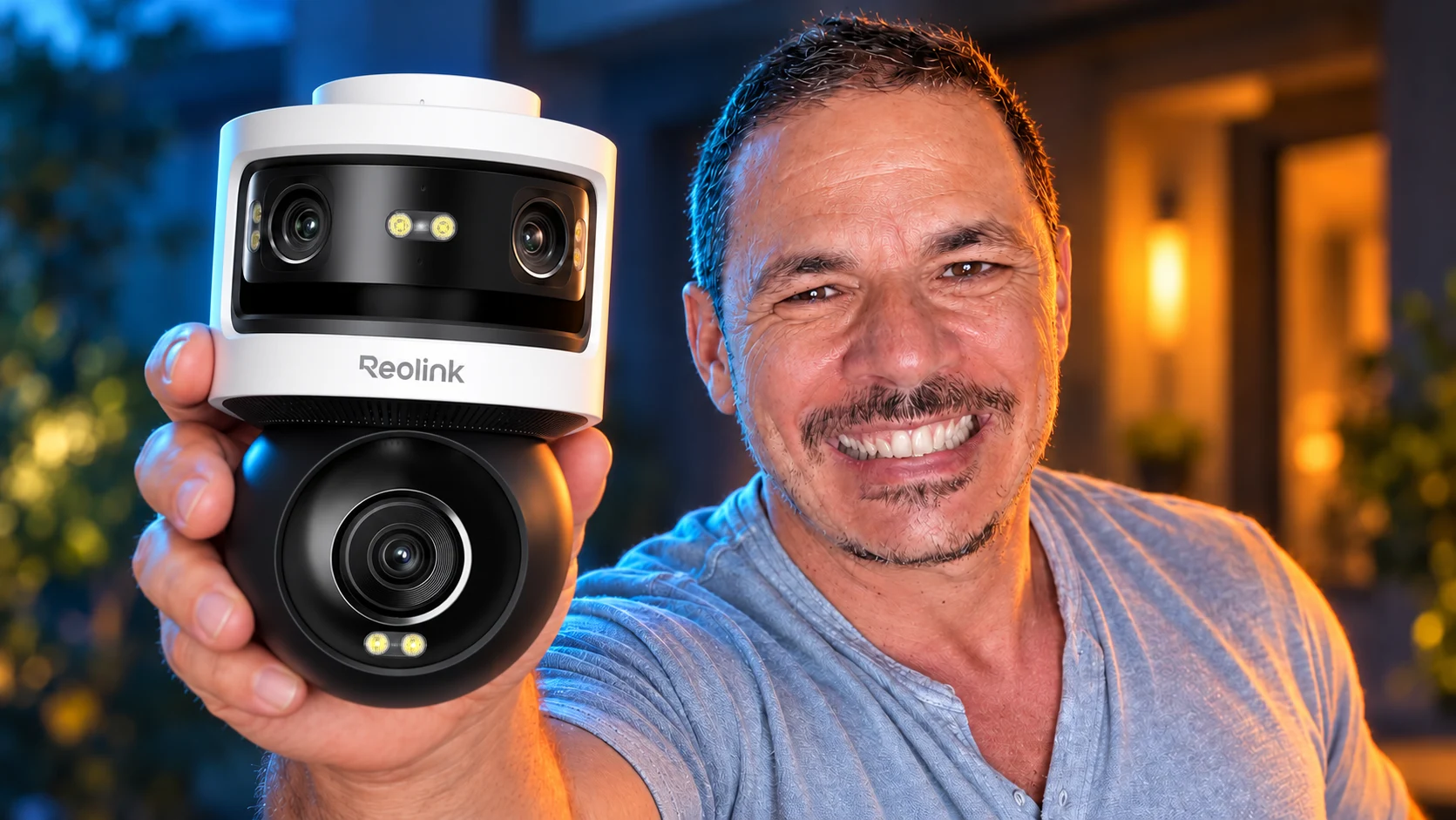
Keep the whole yard on screen while taking a closer look at whatever moves: that is the idea behind this OMVI. I find the Reolink OMVI 3i WiFi pretty complete. I like its wide field of view, and the automatic tracking could be really interesting. It pairs a fixed 180° panorama with a motorised 4K camera. While one keeps the overall view, the other can follow a target. On paper, it solves a real weakness of rotating cameras: when they look one way, they stop watching the other.
This video is in French; the article below is written for UK readers.
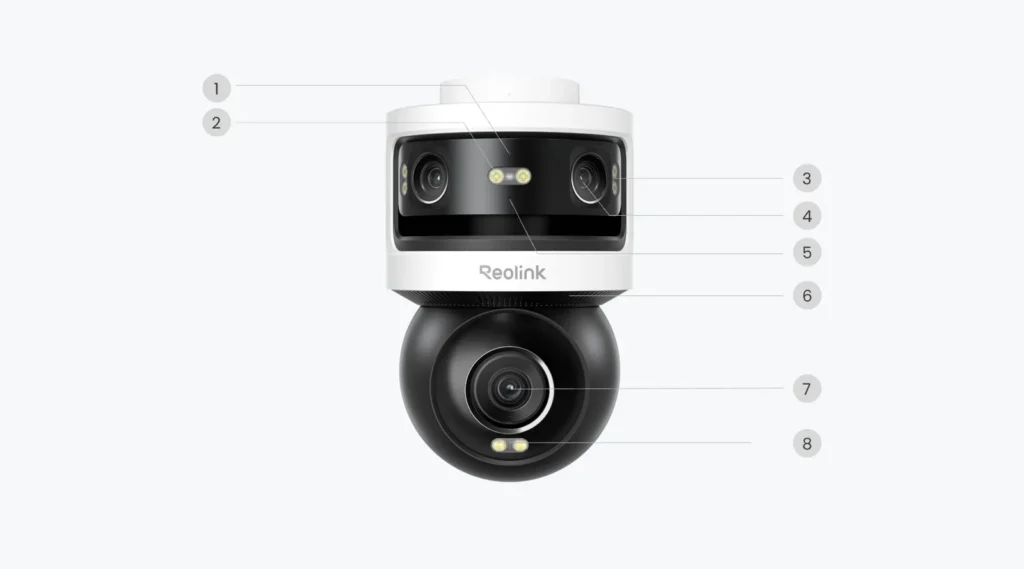
Three lenses, but two images to understand
The top of the housing holds two lenses. Together they build a panoramic image of 5120 × 1920 pixels, advertised as 10 MP. The bottom holds a third lens on a motorised module, filming at 3840 × 2160 pixels, so 8 MP in 4K. You get a wide view and a tighter view.
Reolink advertises 18 MP by adding the two resolutions together. Keep two separate images in mind: this is not one big 18 MP picture. The panorama is very stretched, in an 8:3 format, while the lower module’s image is 16:9. Depending on your phone’s screen and the layout you choose, details won’t read the same way in both.
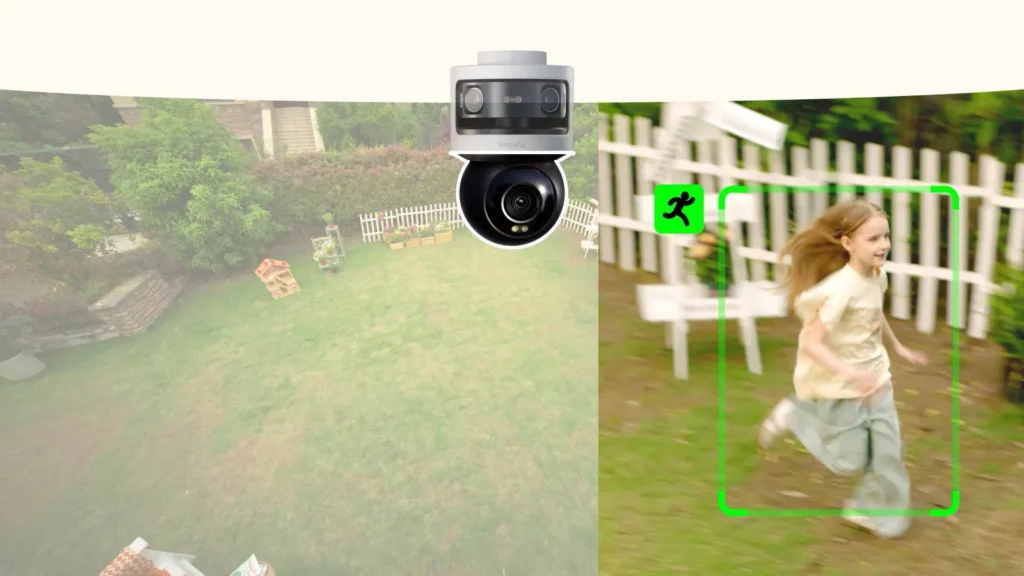
Following someone while keeping the rest of the yard
To me, the automatic tracking could be really interesting too. What appeals to me is pairing it with that wide view: following one person more closely while the rest of the garden stays on screen. It adds to what the panorama already offers. I don’t have test results on this OMVI yet, so I can’t tell you how it actually reacts when a target moves or disappears.
What I like most is how much it takes in. The technical term is the field of view: here, the panorama covers 180° horizontally. To keep an eye on a garden and the motorhome parked at home, that wide view means more to me than a camera pointed at a small stretch of driveway. I’m talking about the use I have in mind, not a setup I have already tested.
Picture a driveway with a gate and a garage door. Someone walks into the wide image: SyncTrack coordinates the modules so the lower camera turns towards them. The panoramic view stays available, so you can follow that person without losing the overall picture of the entrance.
Reolink says tracking continues even when the target leaves the panorama. It’s a useful promise, but the situations that really matter are checked outdoors: someone walking behind a post, two movements at once, a person suddenly changing direction. I’m not going to turn a manufacturer demo into a measured result.
The motorised module pans 350° and tilts 50°. The “360° coverage” claim describes what it can cover by moving combined with its field of view; it doesn’t mean the whole scene around the camera is recorded at the same time. And behind a wall is still behind a wall, even with three lenses.
One detail to check before choosing the spot: the lower module sees much less width than the panorama. With 55° horizontally, a subject close to the camera can quickly fill the frame. In a narrow passage or right above a small door, that close-up is less useful than in a garden with some distance. The wide view still helps, but the motorised view doesn’t replace a second wide-angle camera.
What does the OMVI see around the house?
Choose the camera position, then rotate the lower module. The panorama keeps its overall view.
Camera position
Illustrative diagram with no distance scale: the angles say nothing about range or face identification. Mounting height and terrain are not simulated. The slider shows a 350° range, not a simultaneous view all the way round.
Auto Framing and Pinpoint: closer, within limits
Auto Framing adjusts the framing to make a person, vehicle or animal bigger in the app’s image. Pinpoint lets you pick an area and quickly point the camera at it. The lower 6 mm lens, compared with 2.8 mm on the panoramic part, already gives a tighter field: 55° horizontal against 180°.
The spec sheet does, however, list digital zoom on this model. So don’t confuse a bigger image on screen with extra detail from an optical zoom. The 64 preset positions, the guard position and a four-position patrol also let you prepare the areas that matter.
If the road appears in your panorama, you may want to keep it in view without getting a notification for every passing car. Detection zones and schedules let you define what should actually alert you. Keep three things apart: what the camera sees, what it records and which events trigger an alert. Cutting notifications doesn’t reframe the panorama.
A 180° view also needs careful aiming on a UK street, a terraced house or a shared driveway. Point it at your own property and use privacy masking where the image reaches the pavement or next door. The ICO’s guidance on home CCTV explains the extra responsibilities once your camera captures images beyond your boundary.
Alerts for crossings, not just motion
The OMVI detects people, vehicles and animals. On its panoramic view, it adds three rules: crossing a line, entering a zone and staying in it too long. You can, for example, draw a line across the entrance rather than reacting to the whole yard.
Each rule has to be set up with its actions: recording, a notification or another available alarm. A zone you draw doesn’t rule out false alerts, and a detected person isn’t a “recognised intruder”. The lower module doesn’t support the perimeter rules listed for the panorama.
The panoramic view also supports two beta features, left item and removed item detection, which Reolink’s support lists for the OMVI WiFi. You define a zone to be told when something is left there, or when something that was there disappears. In front of a garage, that can help with a parcel or with tools. The beta label matters: set the zone, check the firmware and test with your own items, without counting on flawless detection. These features don’t apply to the lower motorised module.
At night: infrared, or colour with the LEDs
Two modes are documented: infrared, with up to 30 m advertised, and colour with the white light switched on. The spec sheet lists eight LEDs, 7 W and a 6000 K colour temperature. It gives no lumen figure, so I have nothing solid to compare its lighting with a proper garage floodlight.
The IR range isn’t a guaranteed distance for identifying a face. To judge the night image, you’ll have to look at movement, reflections, how the panorama is stitched and how readable both views are. For a different approach around the front door, the Solar Floodlight Cam combines a camera with floodlights; its design and power supply are different, and its specs don’t carry over to the OMVI.
Wi-Fi doesn’t mean wire-free
I find this camera pretty complete. It comes in a PoE version and a Wi-Fi version, and I’m usually quite a fan of Wi-Fi: you can avoid running a network cable and some drilling. But my first reflex was to look for a battery and a solar option. Because if you still have to run a power cable, the installation advantage becomes far less obvious.
On this OMVI WiFi, that’s exactly the case: it needs its 12 V/2 A adapter. So there’s still a cable (Wi-Fi won’t make electricity for it). The advantage I still see is not needing an extra PoE switch. If you already have a socket nearby and a good Wi-Fi signal, it can also save you running Ethernet to that spot. On the other hand, a PoE cable carries network and power together, and a PoE injector or a compatible PoE NVR can save you buying a dedicated switch.
The network side is Wi-Fi 6, on 2.4 or 5 GHz, with WPA/WPA2/WPA3. Bluetooth makes the first setup from the app easier. But the cable stays: the DC 12 V/2 A adapter is required to power it. This WiFi model can’t be powered over PoE.
Reolink states a consumption below 24 W, not an average measured here. With permanent power, the spec sheet lists 24/7 recording, on top of event and scheduled recording. That difference matters if you want to see what happened before an alert or between two alerts.
MicroSD, Home Hub or NVR: check the version
My choice mostly depends on the place you want to watch and how many cameras you’ll have. I see this OMVI around a house rather than a flat. And a house quickly gives you several areas to cover: the garden, the garage, the front door… Once you start adding cameras, I recommend centralising recordings on a Home Hub or an NVR. It isn’t a technical requirement from the second camera, since they can work separately, but it’s the direction I prefer for a tidier setup.
For a household, I’d rather go for the Home Hub. An NVR feels a bit “too much” for an ordinary house: I don’t see the point of paying for it if the Hub already does the job. Unless you have a very large house and a big installation; then it’s worth looking at what an NVR offers.
For a business, on the other hand, I’d lean towards the NVR, to build a system suited to the premises and the storage needs. It isn’t the word “professional” on a box that does the work: you need to size the whole system and check which cameras are compatible. And my Home Hub advice doesn’t replace the version check below.
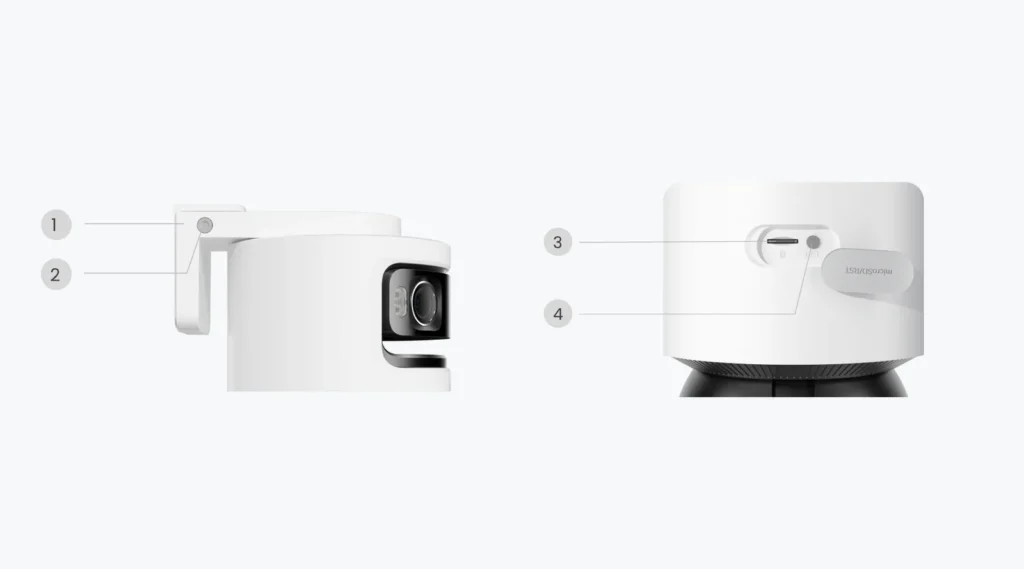
A microSD card up to 512 GB gives you local storage. Compatible Home Hubs, compatible NVRs and FTP/NAS are also listed. You can keep your footage without a subscription for local storage, but you have to buy or plan the storage itself. Reolink specifies a FAT32-formatted, Class 10 card.
Reolink’s support lists the hardware versions precisely. For the RLN8-410, it’s notably N7MB01; for the RLN16-410, N6MB01. NVR firmware must be 3.6.4 or later. The RLN12W, RLN36 and RP-PN8/16 are also on the list. The Home Hub needs 3.3.0.456 or later, and the Home Hub Pro 3.3.0.466 or later. The Home Hub Mini isn’t confirmed in the list I checked.
According to Reolink’s warning, the desktop client doesn’t support both views at once when the camera is added through an NVR, Home Hub or Home Hub Pro. Check that before picturing both images on an office screen all day. On a compatible NVR, the camera uses a single channel despite its two views.
Local AI video search is advertised. Finding a red car or a person carrying a parcel is the manufacturer’s promise; accuracy, supported languages and how well it handles English queries remain to be checked. Some NVRs also need the search engine installed separately. As for NAS storage, FTP and RTSP alone don’t guarantee every feature in every piece of software.
Searching recordings gives you another way to find a moment: start from something visible, like a clothing colour, a vehicle or an object, instead of scrolling through hours of footage. That’s the point of the local AI video search advertised for this model. A search result is a lead to confirm by watching the clip; the quality depends on what is actually visible. I haven’t tested searches on this OMVI yet.

I'm Xavier
I test gear over months, in the van and day to day, and I say what doesn't work. If that saves you one bad purchase, leave me your address.
Ce que vous souhaitez recevoir :
Where to fit it, and what for?
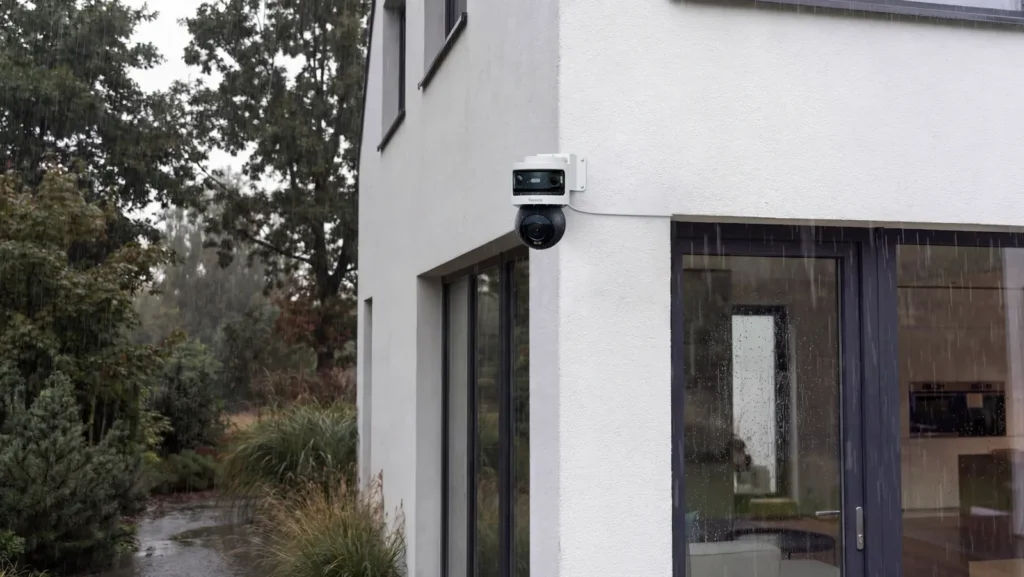
The housing measures 202 × 151 × 125 mm and weighs 1.1 kg without accessories. It can go on a wall, under a ceiling or on a corner with a separate bracket. IP66 and an operating range of -10 to +55 °C are listed for the camera. You also need to protect the power supply and the connections; the housing’s rating doesn’t cover the whole installation.
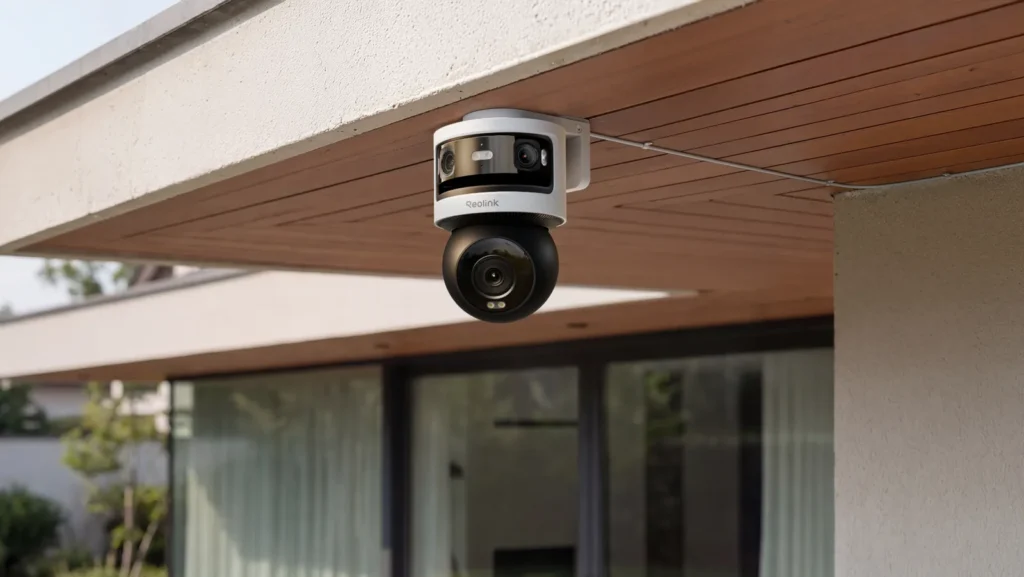
On a yard or driveway, it all comes down to placement: panorama facing the entrances, as few obstacles as possible and enough room for the lower module to move. Under a ceiling, Reolink recommends mounting it near the edge to limit reflections and blind spots. The single-unit box includes the bracket, the adapter and a 4.5 m power extension cable.
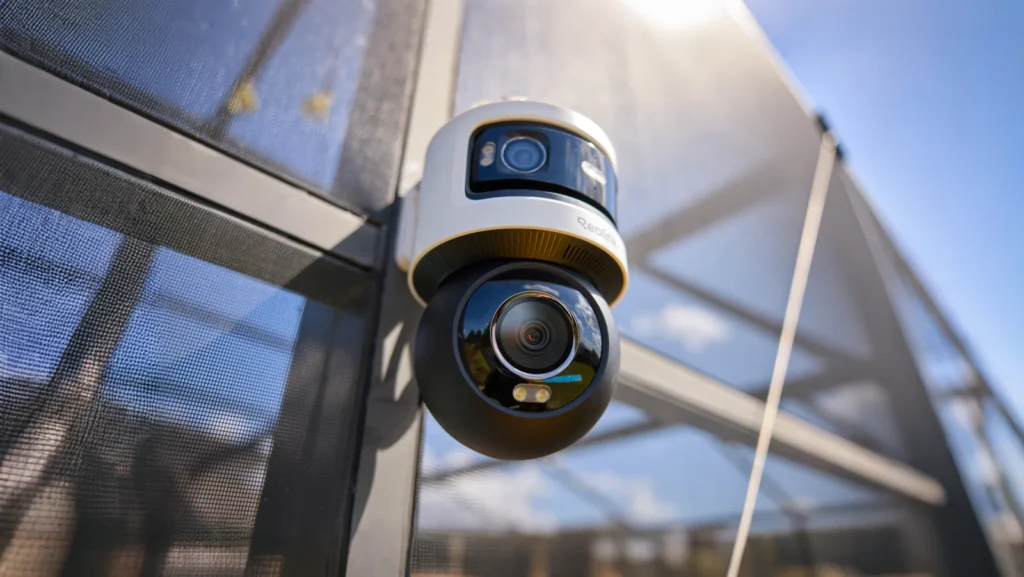
For me, this is clearly not a camera for inside a motorhome. I see it outdoors, at home, watching the garden and, why not, the motorhome parked on the drive. Inside the vehicle on the road, you need something else in terms of size, mounting and power. The word Wi-Fi isn’t enough to make a camera travel-ready.
I can also picture it in some business premises, a warehouse for instance, with the PoE version. For a shop, I find it can be a bit bulky, so it really depends on the place. Watch which version you pick: the OMVI also comes in PoE, but the WiFi model covered here can’t be powered over Ethernet. PoE can make a wired installation easier; on its own, it doesn’t mean the camera meets every business need.
Once it’s up, take the time to walk through the area, then play back both recorded views. Check that the card is recognised and formatted from the device, that recording is switched on and that notifications match the categories you want. Also try a route close to the camera and one further away: the panorama may look fine while the lower framing needs adjusting. That’s a check to run on your own setup, not a test result I’m giving you here.
The specs, and the price to check before buying
Technical specifications: Reolink OMVI 3i WiFi
| Net weight | 1.10 kg (2.43 lb) |
|---|---|
| Dimensions | 202 x 151 x 125 mm |
| Wi-Fi | ✓ |
| Bluetooth | ✓ |
| Application | ✓ |
| Warranty | 2.00 an |
| Operating Temperature | -10 to +55 |
| Waterproof Rating | IP66 |
| Horizontal Field of View | 180° panoramic; 55° PT |
| Vertical Field of View | 65° panoramic; 30° PT |
| DC Power Supply | 12 V / 2 A; < 24 W; mains adapter |
| Video Resolution | 10 MP panoramic (5120 x 1920) + 8 MP PT (3840 x 2160), two separate views |
| Night Vision | IR up to 30 m claimed; colour with 8 LEDs, 7 W, 6000 K |
| Smart Detection | People, vehicles, animals; line crossing, intrusion and loitering; item left/removed (beta), on the panoramic view only |
| Connectivity | Wi-Fi 6 2.4/5 GHz; 802.11 a/b/g/n/ac/ax; WPA/WPA2/WPA3; Bluetooth for setup |
| NVR Compatible | ✓ |
| Storage | microSD up to 512 GB; compatible NVRs and Home Hub; FTP/NAS; events, schedule and 24/7 |
| Audio | Mic and speaker; two-way audio; push and email |
| Video Compression | H.264/H.265 |
| Sensor size | 1/2.7 + 1/2.7 + 1/2.8 inch |
| Zoom | Digital; panoramic 2.8 mm F1.6; PT 6 mm F1.6 |
| App features | SyncTrack, Auto Framing, Pinpoint, local AI video search; 64 presets, guard position, one 4-preset patrol |
| Installation and connection | Wall, ceiling or corner with the separate RLA-BKC1 V2.0; DC 12 V/2 A; 350° pan, 50° tilt |
Reolink OMVI 3i WiFi promo code
 In stock
Reolink OMVI 3i WiFi
CARO51*
*Verified price on 7 October 2026. The final price may vary.
The single unit is listed separately from the two-pack. On 3 November 2026, Reolink’s UK store listed the single unit at £259.99, VAT included. Prices and delivery times can change; you’ll find the details in our Reolink OMVI 3i WiFi product page, and check the total at Reolink before ordering.
You can also look at the current Reolink offers and how our partner code works. The product page is there to help you choose and buy; this article is there to explain how the camera works and its limits.
On paper, the verdict is clear: this design suits fixed surveillance, with several areas inside the wide view and a need for tracking. The open questions are night image quality, tracking accuracy, how comfortable the two views are on your device and how it works with your recorder. My first opinion covers its very complete feature set and the Wi-Fi trade-off, which still keeps a power cable. No test result settles its real-world performance yet.
Reolink OMVI 3i WiFi: frequently asked questions
Has Xavier tested this OMVI?
Xavier was offered this camera, but he can't confirm yet that it has arrived. His first opinion covers the specifications and the Wi-Fi versus power trade-off; no field test of this OMVI is shown.
Can it run without mains power?
No. The WiFi model needs its DC 12 V/2 A adapter. Wi-Fi handles the network connection, not the power.
Does it record the whole 360° scene at the same time?
No. The panorama covers 180° horizontally; the lower module pans 350° and films in whichever direction it is pointing.
Is Auto Framing an optical zoom?
The spec sheet lists digital zoom. The lower lens is 6 mm, and no variable optical zoom is documented.
Can I see both views in the desktop client with a Home Hub?
Reolink's official warning says the desktop client doesn't support both views at once when the OMVI is connected through an NVR, Home Hub or Home Hub Pro. Check the app and the versions before buying.
Does it work with the Home Hub Mini?
It isn't confirmed in the OMVI compatibility list Xavier checked. Reolink's support lists the Home Hub and Home Hub Pro with minimum firmware versions; the Mini still needs confirmation.
Do I need a subscription for microSD storage and continuous recording?
Not for local storage. A card up to 512 GB can hold the footage, and 24/7 recording is documented for this mains-powered model. Capacity and retention depend on your settings.
Is it a 4G or solar camera for travelling?
No. This model runs on Wi-Fi with permanent DC power. Watching a motorhome parked at home is a possible use; a camera for the road needs other criteria.
Home Hub or NVR: what does Xavier recommend?
For a household with several cameras, Xavier prefers a compatible Home Hub. He keeps the NVR for very large houses and business installations. Centralising is practical advice, not a requirement from the second camera. Check hardware versions, firmware and storage needs before choosing.
What do the left item and removed item alerts do?
They watch a zone you define in the panoramic view and report an object left there or an object that disappears. Reolink's support lists the OMVI 3i WiFi for these beta features. They don't apply to the motorised view, and they need up-to-date firmware plus on-site setup and testing.
Sources: official Reolink UK product page, OMVI 3i FAQ and SyncTrack/Auto Framing guide, consulted on 3 November 2026.
Equipping your van, security included
Batteries, solar, conversion, security. What we found after months of real use, and what we would not buy again. An email when we have actually tested something, not before.
Ce que vous souhaitez recevoir :