


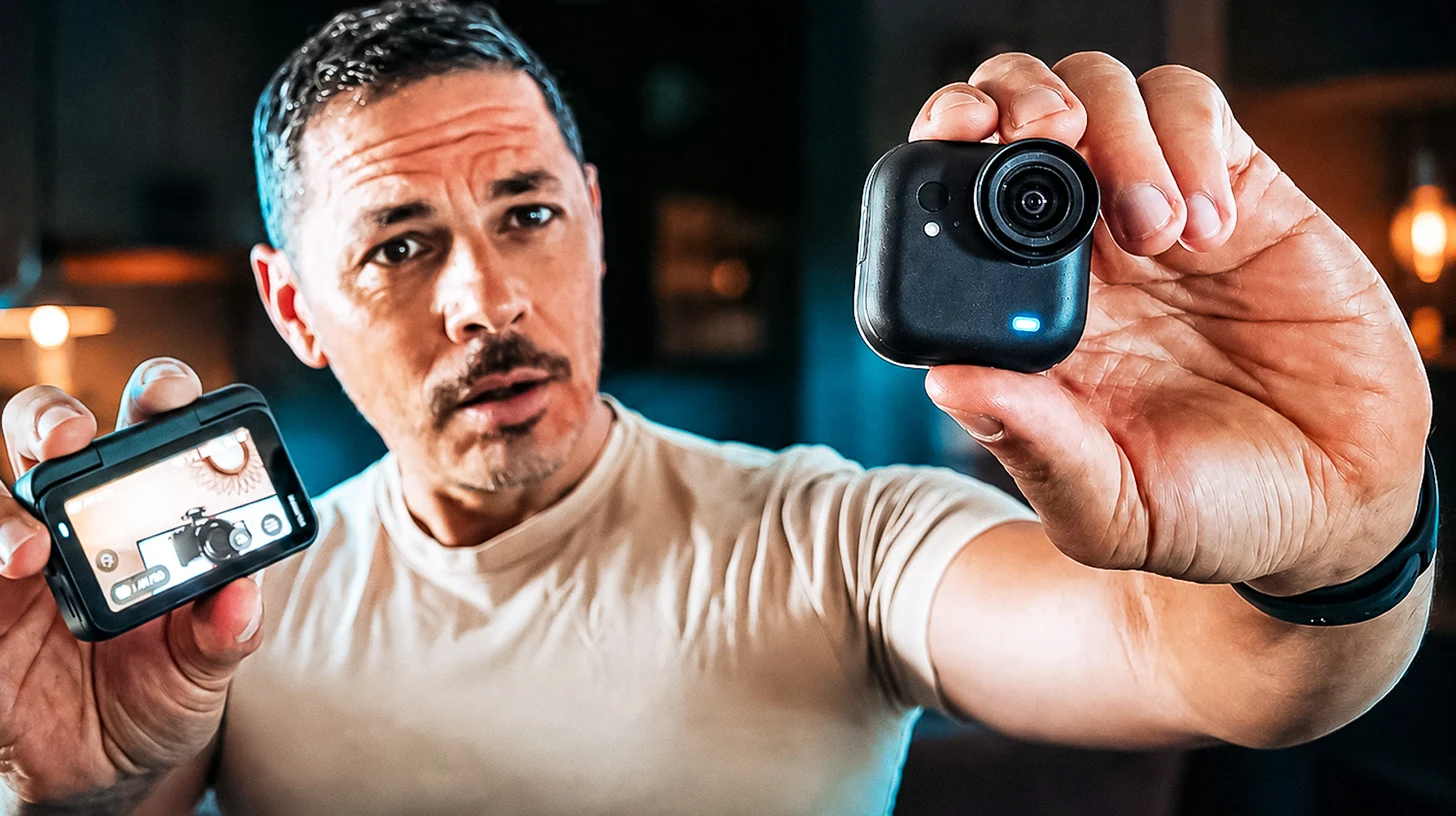
Well, we need to talk about this little pebble. Filming alone, without a tripod, without your hands being busy, keeping your eyes on what you are doing rather than on a camera, is an old creator’s fantasy. We have all tried it with a phone propped up somehow, a GoPro on a stick that gets in the way, a camera we do not dare take out in public. And every time, the same conclusion: either it is discreet but ugly, or it is beautiful but heavy.
The Insta360 GO Ultra is the first time we have seen those two worlds meet in an object weighing 53 grams. Careful, this is not the new GO 3S (we will come back to that, it matters), it is a separate range. The summary everyone makes of it is perfect: an Ace Pro 2 disguised as a GO 3S. The tiny format you wear on you, but the sensor and the brains of a proper high-end action camera.
So we wore it, we took it to restaurants, out to the salt pans, and we grilled its voice assistant at the desk. Here is our field test, from the unboxing to real use: what it changes while filming, the trap that cost us hours on the AI, what we actually keep using after a few weeks, and the one reservation we still have.
Our verdict on Insta360 GO Ultra Mini hands-free POV camera 4K
Benefits
- 53 g hands-free format, magnetic, sticks anywhere
- Large 1/1.28" sensor + PureVideo: a real low-light leap
- 70/200 min battery life + 0-80% charge in 12 min
- Detachable Action Pod with 2.5" screen (image feedback + remote)
- Button on the camera itself: start recording in under a second, no phone needed
- Switches to vertical format by simply turning the camera
- "Hey Kira" AI voice assistant (translation, voice and image questions)
- Waterproof to 10 m, replaceable front lens, rich accessory ecosystem
Disadvantages
- Focus distance around 25 cm (optional Microlens kit for close-ups)
- Aqualens lens essential (and easy to lose) for filming underwater
- 8-bit image and no live/webcam mode
- The AI assistant requires location access and your phone's data (costly abroad)
- A fast microSD card is essential and not included: a slow card ruins the experience
- In extreme low light it still sits below an Ace Pro 2
For the content creator, the vlogger, or the traveler who wants to film in hands-free POV with real image quality, without carrying a bulky camera. It's neither the camera of the professional colorist nor that of the diver who alternates between surface and depth in the same outing.
The whole test is in the video below (it is in French, with subtitles), and we break everything down right after.
It all starts with the unboxing
We will admit it, coming from a marketing background: the brand name never sold us. “Insta360” sounded a bit like a cheap knock-off, a name borrowing from a social network. Except we had exactly that prejudice with the Luna Ultra and with their microphones, and every time the product in hand proved us wrong. Same story here, from the moment the box opens.

Insta360 Luna Ultra: two months later, our real field test
Our review of the Insta360 Luna Ultra, the all-in-one 8K Leica gimbal camera. Is it the best camera for traveling? Comparison, price, and promo code.
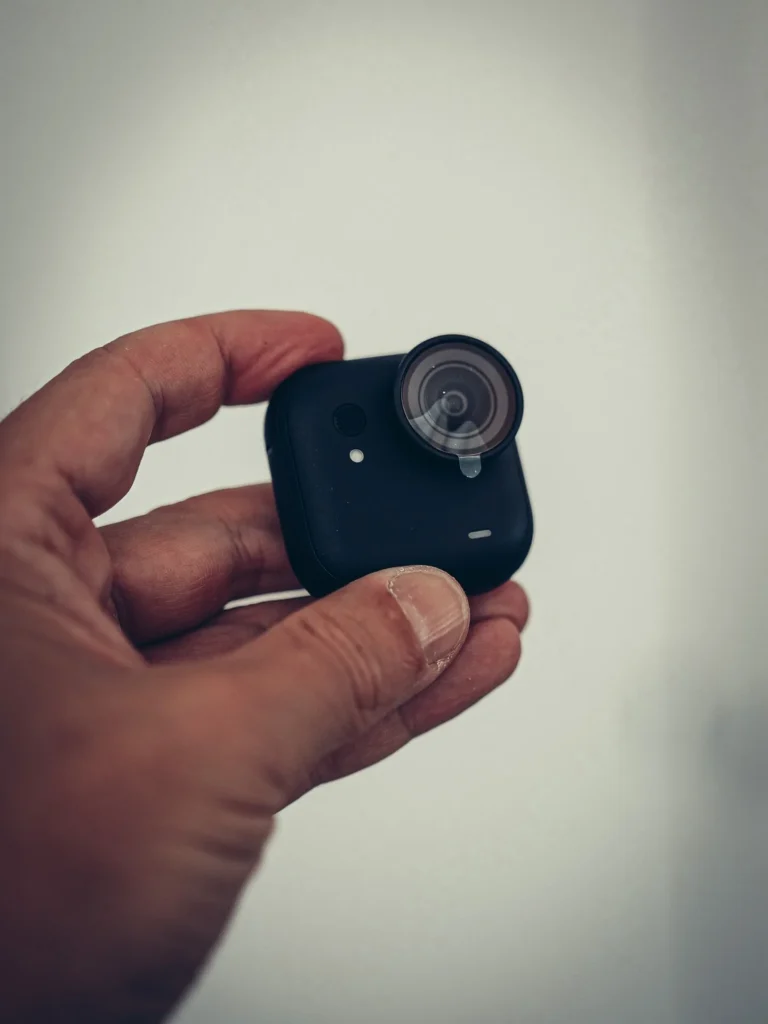
Read alsoIt is a nice square box, and when you open it the camera greets you first, sitting right on top. It is not even the smallest of the range (the GO 3S still holds that title), but we find it genuinely good looking. The deep matte black does not catch reflections: it stays discreet, and worn at chest height for a POV shot, it does not shine into the eyes of whoever is in front of you.
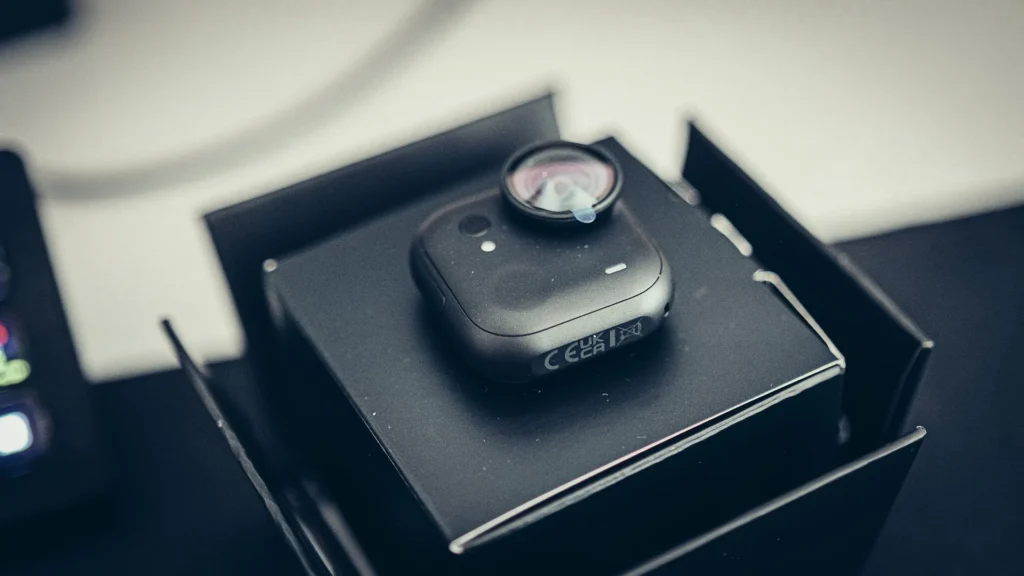
As soon as you pick it up, the weight feels serious. Where creators note that you can feel it on a cap (39 g for the GO 3S against 53 g here), we mostly read it as a quality feel. And the magnet is not a bargain-bin magnet: you feel straight away that it holds, which confirms all the “it never moves” you read everywhere.
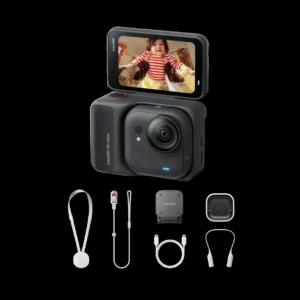
As for the contents, the box is rich, varied and good quality, not just padded out with cheap accessories to fill the cardboard. Beyond the battery you get two magnetic mounts: a lanyard to wear around the neck, and a small clip we could easily picture on a shirt pocket. Spoiler, we were wrong about which of the two we would end up keeping, but more on that below.
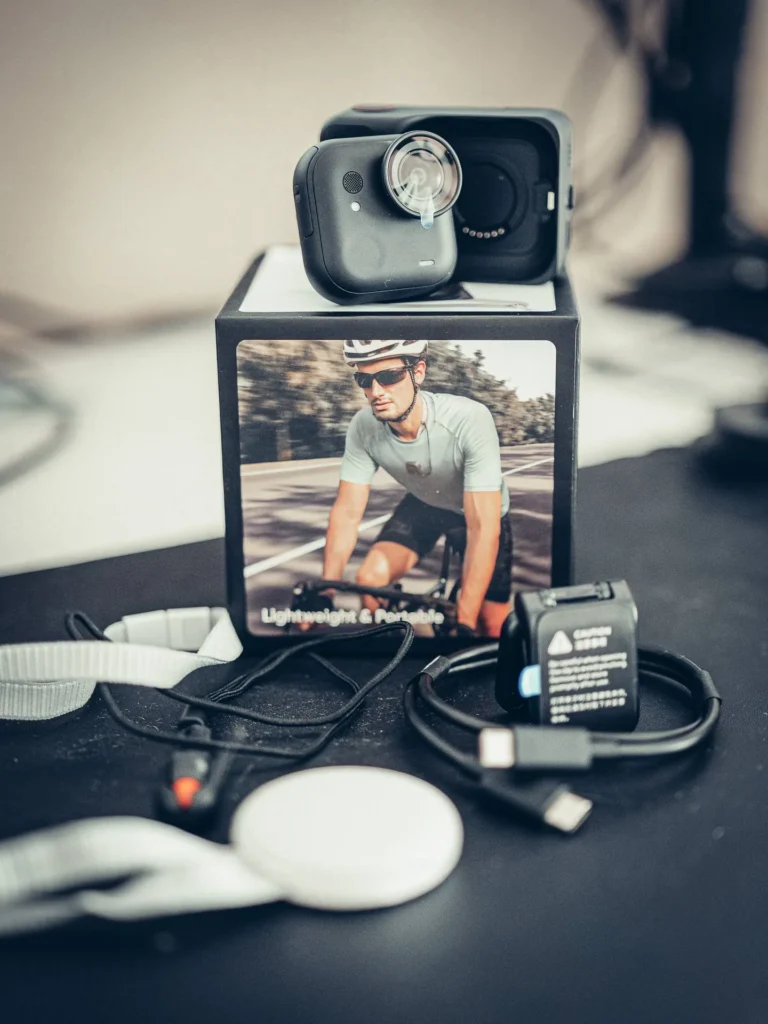
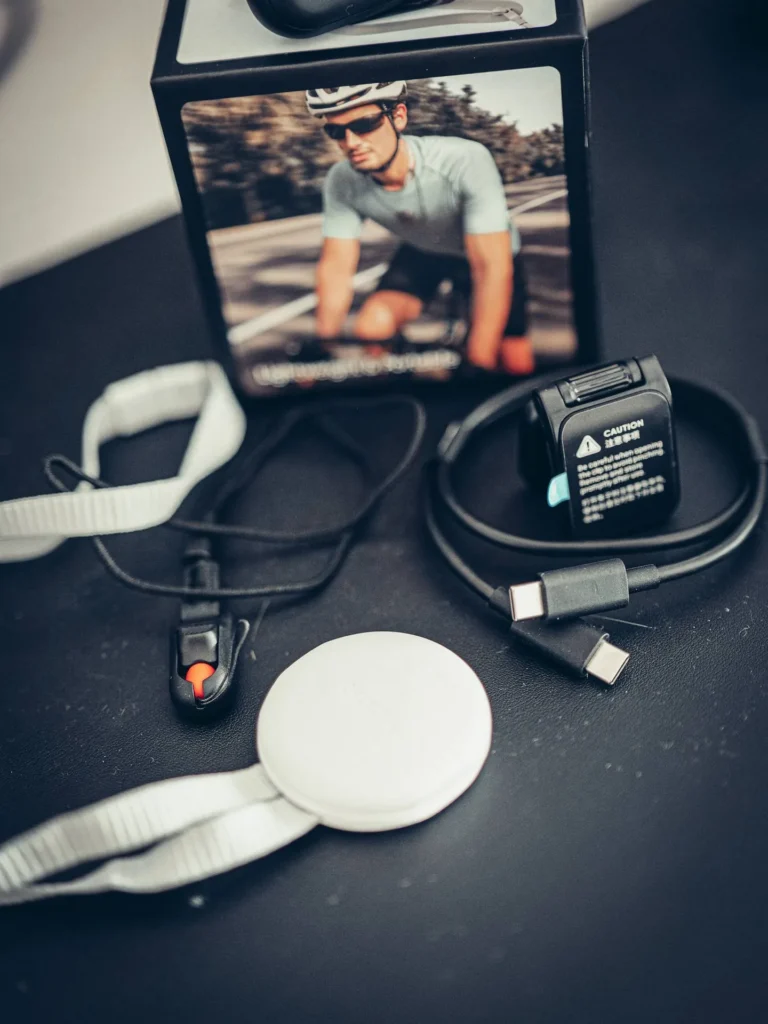
One last good point before even filming: setting it up was a pure pleasure. We are used to simple devices (EcoFlow batteries, Reolink cameras), but we have never seen anything connect to a phone that easily: the app detects the hardware on its own, two taps and it is done, and it offers the firmware update straight away. Another place where the product contradicts the name.
They should have called it Instant 360
That is the line that came to us while handling it, and we are keeping it as is: they should not call it Insta360, but Instant 360. Because that is exactly what it does, capture something happening right now. And that is what we were missing.
We deliberately started without reading the manual, and without watching a single review, to see what the camera explains on its own. First instinct: drive everything from the phone. It works, but if a camera meant to free your hands actually forces you to pull out the smartphone, the concept falls apart. Except it does not. The Action Pod, even with the camera outside of it, works as a remote control with a live image feed. And better still: on the front of the module, under the microphone, there is a small recess that turns out to be a physical button. One press and it records. No pod, no phone, nothing.
Magnetised on your chest, that is less than a second between “something is happening” and “it is filmed”. No phone to unlock, no app to open, no gear to dig out of a bag. For immersive content, travel life, POV on the ground, we have not found anything faster.
The first proper try happened in a restaurant, and that is where it really pays off. Pulling out a camera to film the waiter setting down the plates is always awkward: the neighbouring tables give you funny looks, and the gesture feels intrusive. With the camera already worn, you are not pointing anything at anyone, the scene gets documented and you carry on eating. The shot is less framed than with a camera taken out on purpose, we will not pretend otherwise, but the trade-off is easy: less perfect visually, far smoother socially.
One point of honesty though, because you often read the opposite: it is discreet, but it does not film on the sly. As soon as recording starts, a light turns red. It is visible, and that is a good thing: the people around you know they are being filmed.
Not a new GO 3S: a new range
This is the point absolutely every tester hammers home, so let us get it out of the way to avoid disappointment. The GO Ultra does not replace the GO 3S. Insta360 will carry on with the mini series (a GO 4 in the tiny format is even expected). The GO Ultra is aimed at those who want more image quality and more options, without moving up to a big action camera.
Concretely, it has grown slightly compared to the GO 3S (from 39 to 53 grams, you do feel it on a cap), and in exchange it inherits features that used to be reserved for the Ace range, the brand’s high-end series. That compromise is what makes it unique: the best of both worlds, the lightness of the mini and the brain of the big one.
The principle: the camera you wear, not the one you hold
Everything starts there. The camera module is magnetic and genuinely strong: it sticks to any metal surface and it does not budge an inch. You slide it under a t-shirt with the lanyard provided, clip it to a cap, a headband, the strap of a backpack, and you keep both hands free to cook, walk, tinker or film a room without pointing a lens at it.
The square format, shorter than the GO 3S, opens up shots you would not get any other way: at the back of a fridge, at the back of an oven, and even inside a glass (it fits now). A small anti-drop catch saves the camera if the magnet lets go. For a creator working alone, that is a multiplication of angles with no complicated gear, literally a tiny cameraman you stick wherever you like.
By day and by night: the sensor that makes the leap
This is THE real reason to buy it over the previous mini. The GO Ultra packs a 1/1.28 inch 50 MP sensor, the same size as the one in the big Ace Pro 2, which is 221% more than the GO 3S. Paired with an AI chip etched at 5 nanometres, it unlocks PureVideo mode. The verdict coming back from testers is unequivocal: as soon as the light drops, “there is no comparison”, “it starts to see in the dark”. Where the previous generation captured nothing, this one produces a usable image in a dark garage or at night on a fairground ride.
It films in 4K up to 60 frames per second, handles HDR for high-contrast scenes, and offers a Free Frame mode to reframe afterwards. Let us be honest: in total darkness an Ace Pro 2 still recovers more detail. But compared with everything the mini range could do, the gap is enormous. For the detail lovers, here is the full technical sheet:
Technical specifications: Insta360 GO Ultra Mini hands-free POV camera 4K
| Color | Cosmic Black or Arctic White |
|---|---|
| Net Weight | 0.05 kg (0.12 lb) |
| Dimensions | 25.6 × 54.4 × 24.8 |
| Display | ✓ |
| Application | ✓ |
| Waterproof Rating | 10 m camera only, Action Pod IPX4 splash-resistant |
| Diagonal Field of View | up to 156° (wide-angle FPV mode) |
| Connectivity | Wi-Fi, Bluetooth, USB-C; works with Insta360 Mic & DJI Mic |
| Storage | microSD (no internal storage) |
| Audio | Built-in mics + AI noise reduction; third-party mics supported (BT / USB-C) |
| Sensor size | 1/1.28" (50 MP) |
| Max video resolution | 4K (3840×2160) at 60/30/25/24 fps, 2.7K at 120 fps, 1080p at 240 fps (slow-mo) |
| Photo resolution | 50 MP |
| Zoom | 2x clarity zoom |
| Stabilization | FlowState (3 levels) + 360° horizon lock |
| Battery life | 70 min (camera only) / 200 min (with Action Pod); fast charge 0-80% in 12 min |
| Colour profiles | Multiple colour profiles + log profile (8-bit image) |
What it gives you once you actually film
We did not keep an eye on the stabilisation while shooting, and that is exactly the test: you walk, you live, you look at something other than a screen. Watching it back in 4K, the image does not wobble. For a camera this size worn on the chest, it is very well stabilised, and that alone makes the shots editable without any rescue work.
The onboard software offers a huge number of modes, so many that we have not explored 10% of them. The most useful day to day are the distortion modes, which take the image from very wide angle to a more normal, more sensible rendering depending on what you are filming. And then there is the move we did not see coming: to shoot vertical, you simply turn the camera sideways. Rotate it and you get 9:16 while keeping the best of the resolution. What more could you ask for.
For the built-in microphone we went outside to test it, at the Tavira salt pans, filming flamingos in 4K in 2x mode. The audio in the video got no processing at all, on purpose, so you can judge the raw result. It does the job for POV and ambience; if you want something clean for voice-over, a pass through Adobe Podcast rescues it nicely, and the camera also takes external microphones.
The Action Pod: screen, remote and battery life
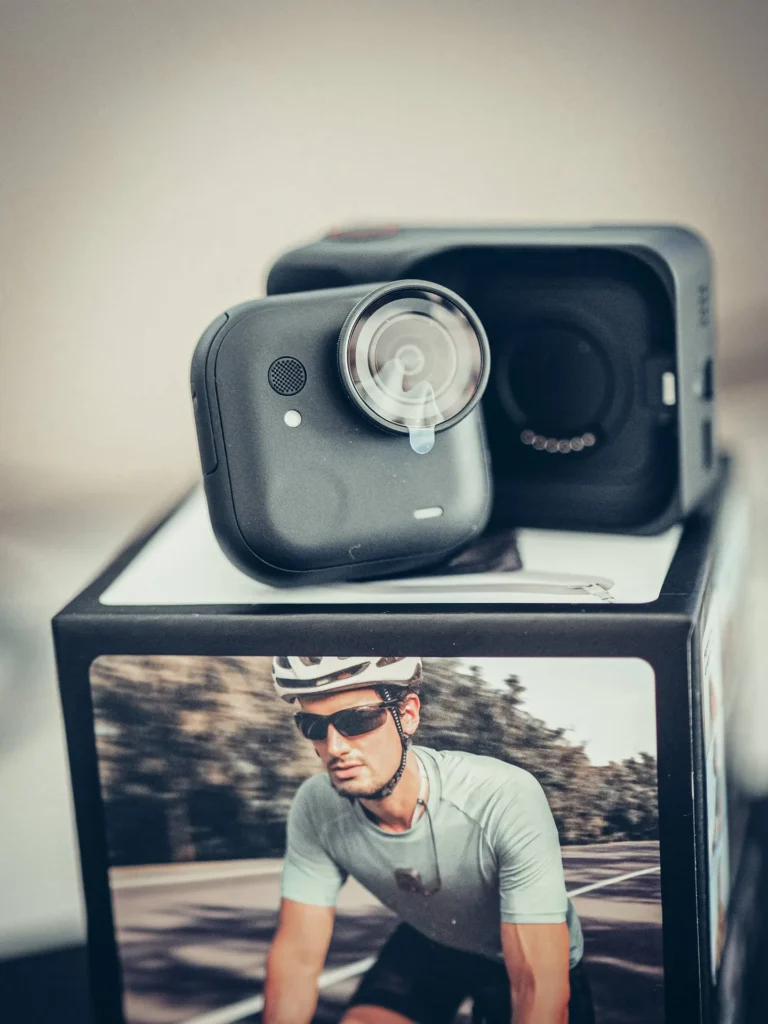
The camera lives inside a detachable case, the Action Pod, with a 2.5 inch flip-out screen that tilts so you can see yourself and adjust everything. You take the module out when you want to go ultra-compact, while keeping the live video feed and remote control. Big advantage for us: no smartphone needed to operate it, so the phone stays free for photos or for displaying a recipe while you film.
On endurance, the main flaw of the GO 3S is fixed. You go from 29 minutes before overheating to around 70 minutes on the camera alone, 200 minutes with the Action Pod, and above all a fast charge that goes from 0 to 80% in twelve minutes. Several testers say they never ran into battery or heat trouble, even pushing it. A ten minute break in the pod and you are off again.
One thing struck us while handling the whole thing: the housing that receives the module inside the Action Pod is genuinely well made, not a cut-price plastic. The magnet is already strong, and yet they added two small safety claws to lock the camera in. A usage tip while we are here: to release it, press the little button that controls those claws rather than pulling hard, otherwise you risk damaging the pod.
Lanyard, clip, wrist strap: what we actually keep using
At the unboxing we would have bet on the clip. In use it is the opposite: the magnetic lanyard wins. What makes the difference is that the pendant swivels. Depending on where the camera sits on your chest and on your build, you turn the pendant a quarter turn and the angle straightens itself out. It is simple, it is mechanical, and it is particularly smart. The clip, which we pictured on a cap, ends up being the accessory we use the least.
We did not fit the wrist strap either, and that is a deliberate choice: that little thing dangling about draws the eye and makes the camera more visible, which is precisely what we are trying to avoid. Everyone does as they please, but our logic is consistent: it is the size of a lavalier mic, with a dark t-shirt or a layer over it it disappears, so why add anything to it.
One last detail that matters more than it sounds when travelling: it charges over USB-C. The cable is already in your bag since your phone charges the same way. That is one plug fewer to carry and one proprietary charger fewer to leave behind on a hotel bedside table.
Hey Kira: the AI voice assistant, and the trap that blocks it
This is the big software addition, delivered by update to a camera that already has a year behind it, and it is what sets it apart the most. Insta360’s logic is straightforward: there is a microphone, there is a speaker, so use the phone as a bridge to fetch the answers. You wake the assistant with a three second long press on the button, and you talk to it.
What we tested on camera: the local weather, which it delivered without hesitation along with the day’s temperatures in Tavira. Then we asked it to describe what it had in front of it, and it returned “a workspace set up for video with a laptop, two large screens and a camera on a tripod”, before working out on its own that we were editing video. And finally translation: a sentence into Spanish, then a round trip from English to French. Every lesson from school goes through, it works.
The other thing to know before getting carried away is where the answers come from. Nothing is computed inside the camera: the phone makes the request and sends the result back to the camera. No connection, no assistant. And here comes the paradox: translation is precisely the feature you need abroad, which is exactly where every request runs on roaming data that can get expensive. Worth leaving home with a data plan that holds up, because the assistant is only as good as the signal behind it.
One nuance noticed on the spot: according to the on-screen notice, the voice command itself only seems to answer in English, while the assistant happily holds a conversation in French once woken. And to be complete, the camera also comes with a year of cloud storage and three months of Moments Pro AI editing, which turns your clips into a finished edit on its own.

I'm Xavier
I test gear over months, in the van and day to day, and I say what doesn't work. If that saves you one bad purchase, leave me your address.
Ce que vous souhaitez recevoir :
GO Ultra, Ace Pro 2 or GO 3S: which one to choose?
Within the Insta360 range itself, three models compete for the travel creator’s bag without playing the same role. We have put them face to face below.
GO Ultra vs Ace Pro 2 vs GO 3S: which camera to choose?
£389,00
See the product
|
£345,00
See the product
|
£284,99
See the product
|
|
|---|---|---|---|
| Net Weight | 0.05 kg (0.12 lb) | 0.18 kg (0.40 lb) | 0.04 kg (0.09 lb) |
| Dimensions | 25.6 × 54.4 × 24.8 | 71.9 × 52.2 × 38 | 25.6 × 54.4 × 24.8 |
| Application | ✓ | ✓ | ✓ |
| Waterproof Rating | 10 m camera only, Action Pod IPX4 splash-resistant | 12 m without case, 60 m with dive case | 10 m camera only, Action Pod IPX4 splash-resistant |
| Diagonal Field of View | up to 156° (wide-angle FPV mode) | - | - |
| Connectivity | Wi-Fi, Bluetooth, USB-C; works with Insta360 Mic & DJI Mic | Wi-Fi 802.11a/b/g/n/ac (2.4/5 GHz), Bluetooth BLE 5.2, USB-C | Wi-Fi 802.11a/n/ac (5 GHz), Bluetooth BLE 5.0, USB-C 2.0 |
| Storage | microSD (no internal storage) | microSD up to 1 TB | 64 GB or 128 GB internal (no microSD) |
| Audio | Built-in mics + AI noise reduction; third-party mics supported (BT / USB-C) | 2 mics, wind noise reduction (clip-on windscreen included) | Wind reduction, stereo, directional enhancement, 48 kHz/24-bit AAC |
| Sensor size | 1/1.28" (50 MP) | 1/1.3" | 1/2.3" |
| Max video resolution | 4K (3840×2160) at 60/30/25/24 fps, 2.7K at 120 fps, 1080p at 240 fps (slow-mo) | 8K (7680×4320) at 30/25/24 fps, 4K up to 120 fps | 4K (3840×2160) at 30/25/24 fps, 1080p at 200 fps (slow-mo) |
| Photo resolution | 50 MP | 50 MP (8192×6144) | 12 MP (4000×3000) |
| Zoom | 2x clarity zoom | 2x (clarity zoom) | - |
| Stabilization | FlowState (3 levels) + 360° horizon lock | FlowState + 360° horizon lock | FlowState + horizon lock |
| Battery life | 70 min (camera only) / 200 min (with Action Pod); fast charge 0-80% in 12 min | up to 180 min (endurance mode) | 38 min (camera) / 140 min with Action Pod |
| Colour profiles | Multiple colour profiles + log profile (8-bit image) | Leica profiles (Natural, Vivid, B&W) + I-Log | Standard, Vivid, Flat, Portrait |
| Dynamic range | - | 13.5 stops (PureVideo, Active HDR) | - |
| Video Compression | - | - | H.264 (up to 120 Mbps) |
To sum up our reading: the GO Ultra is the quality hands-free POV, the step that was missing to film yourself with a nice image. The Ace Pro 2 remains the queen of action and of the night when things move and it is dark. And the GO 3S, smaller still and cheaper, is the pure mini for anyone who swears by minimal bulk. For us, for creator content worn on the body, it is the GO Ultra.
Prices, packs and promo code
The GO Ultra comes in several packs (Standard, Snap and Shoot, Vlog, Creator, Driver, Family, Cycling, Running and so on), to pick depending on whether you just want the camera or the whole mounting kit. The price updates itself below, so no outdated tag hanging around.
Insta360 GO Ultra Mini hands-free POV camera 4K promo code
 In stock
Insta360 GO Ultra Mini hands-free POV camera 4K
VANTOUR*
*Verified price on 4 September 2026. The final price may vary.
By going through our partner link you get the Insta360 promo code VANTOUR which gets you a free accessory. And if the code plays up, we have detailed every trick on our Insta360 promo code page.
Our one real reservation, and it lies in the future
After using it, we have a single reservation, and it is not about what the camera does today. It is the connector of the two-in-one that makes us wonder. The Action Pod is a superb little base, but like every modular object, the contact point between module and case is the part that works hardest. With damp, oxidation and hundreds of click-ins, will the link still be as good in two years?
As of today we have seen nothing. No failure, no bad contact, nothing at all. It is a durability worry, not a defect, and we would rather write it down than sell you a flawless object. We will revisit it after a few more months of real use, with salt, rain and sand in the mix.
Do we recommend it? For whom, and for whom not
If you are a content creator, vlogger or traveller, if you often film alone and want a nice image without hauling a bag of gear, it is a must-have. It takes up almost no room, it charges over USB-C, it is discreet, and above all it catches the moment faster than anything else in the bag. For travel and discovery vlogging, we do not see what does better today.
If on the other hand your thing is regular diving, professional grading or pure action in the dark, look instead at a classic action camera or an Ace Pro 2, it is not quite the same job. And if you are simply after the smallest possible object, the GO 3S is still ahead. We have adopted it, the way we adopted our gear tested on the road.
PS: yes, we already film our restaurant meals with a camera worn around the neck, and no, it does not make us eat any more. But at least this time we have both hands free to hold the fork.
Tested first, recommended after
Batteries, solar, conversion, security. What we found after months of real use, and what we would not buy again. An email when we have actually tested something, not before.
Ce que vous souhaitez recevoir :