



The P210, the P280, the Nomad 1800, the P180-B… over time, we start to know the AFERIY stations by heart. So when the Haven3000 P300 arrived at the end of September, I thought I would open the box and find a slightly more powerful cousin of what we already have.
And not really. It is bigger. Not a little, really bigger. To the point that my first reaction, personally, was not “where do I plug it in,” but “where do I put it.”
So let’s make things clear right away: this is not the complete test. It is with us, in home and office use, and I still have tests to do (timed autonomy, power cut, noise when working nearby). But there is already enough to say about the unboxing, the application, and the first charge, and frankly, some of these things are enough to know if it concerns you or not.
Our verdict on AFERIY Haven3000 P300
Benefits
- 2048 Wh LiFePO4 expandable up to 10,240 Wh with four P280-B
- 3000 W AC output on three sockets, enough to power large appliances
- 1200 W solar input on two separately adjustable XT90 ports
- Four USB-C ports, two at 140 W, a total of thirteen ports
- Warranty up to 7 years when purchased directly from the brand
Disadvantages
- 21.6 kg and nearly 40 cm wide, too bulky for a converted van
- The Bright EMS app remains very basic
- The 1800 W of mains charging depends heavily on your electrical setup
A home backup station above all, to take if you want 2 kWh expandable to 10 kWh and 3000 W output. For a van or weekend camper, aim for a 1 kWh from the range instead.
21.6 kg, and the question is no longer the same
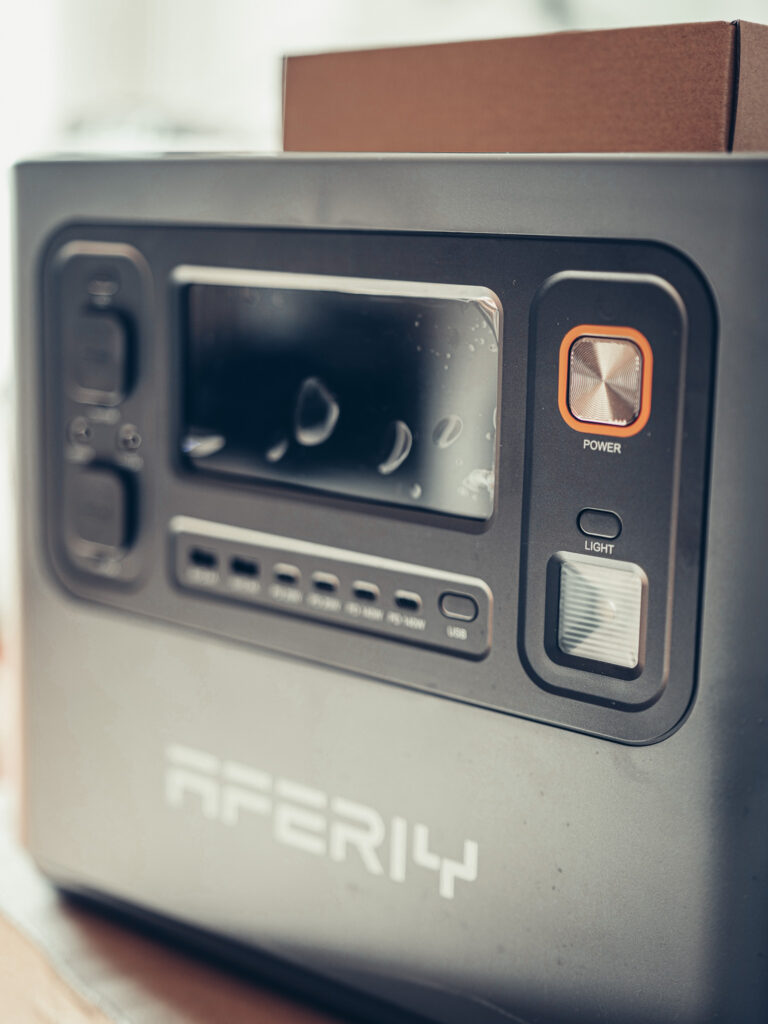
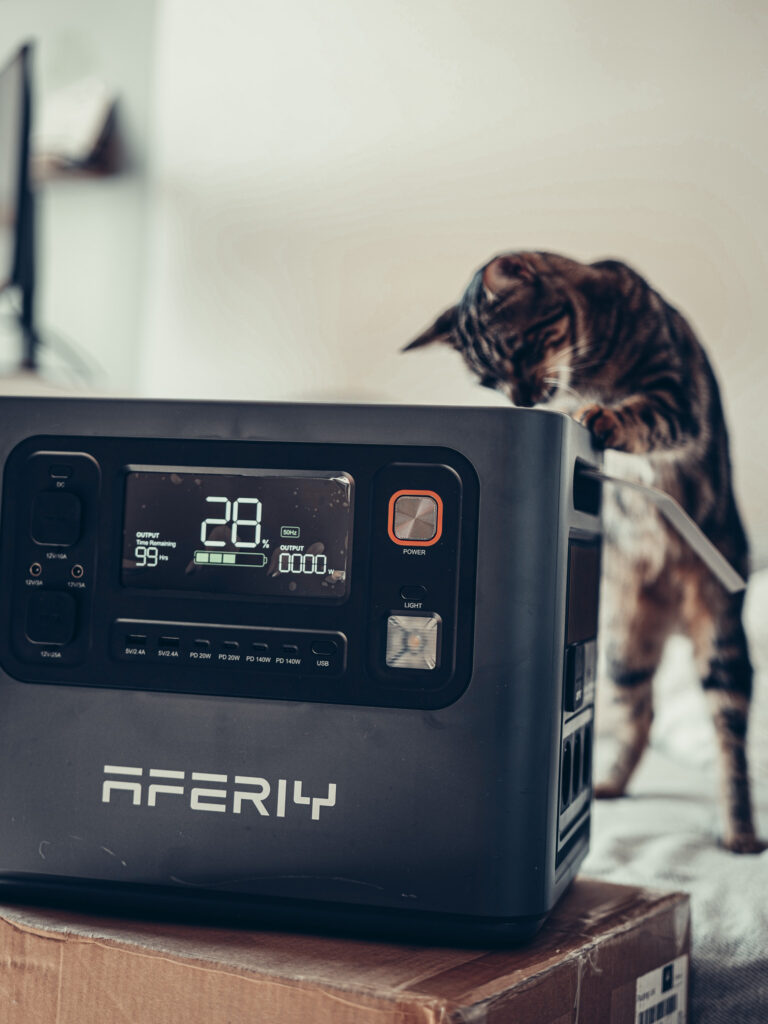
I found it immediately bigger than the P210 and P280 that I have had in my hands. Almost 40 cm wide, 21.6 kg on the scale: this is no longer the object you grab with one hand to slide under a bench.
As a result, I mainly see it at home. In a large motorhome, yes, that can be discussed, you have the space and the available weight. In a van, it is already a little too much (and I mean it, because I prefer to have too much battery rather than not enough).
And since it is mainly a workstation that I would want to plug into, let’s answer the real question right away: if the power goes out, how long can you keep working? Check your configuration, laptop or desktop, screens, disks, NAS, and you will have your idea.
How long would your office last on the P300?
Set up your workstation, then see how long you can keep working if the power goes out. The power levels are averages in normal use, not peaks.
Your machine
Your screens
The rest of the setup
The orange grids, the small detail that says a lot
The first thing that caught my eye: the air vents are orange. On the older models, they were gray. I had already pointed this out on the Nomad 1800 Pro, and we find exactly the same thing here.
For me, this color plus the presence of an application signifies a new version of the AFERIY models. This is my reading of the evolution of the range, not an officially announced technical generation by the brand. But when a brand changes its visual codes and adds remote control at the same time, it is rarely a coincidence.
A huge screen, and especially very big numbers
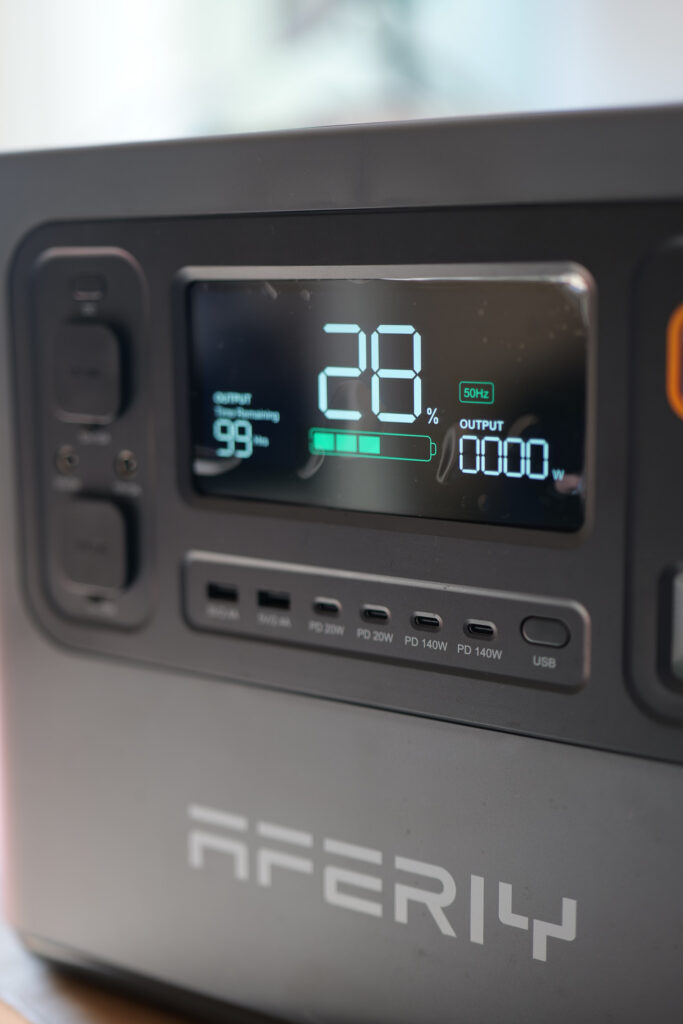
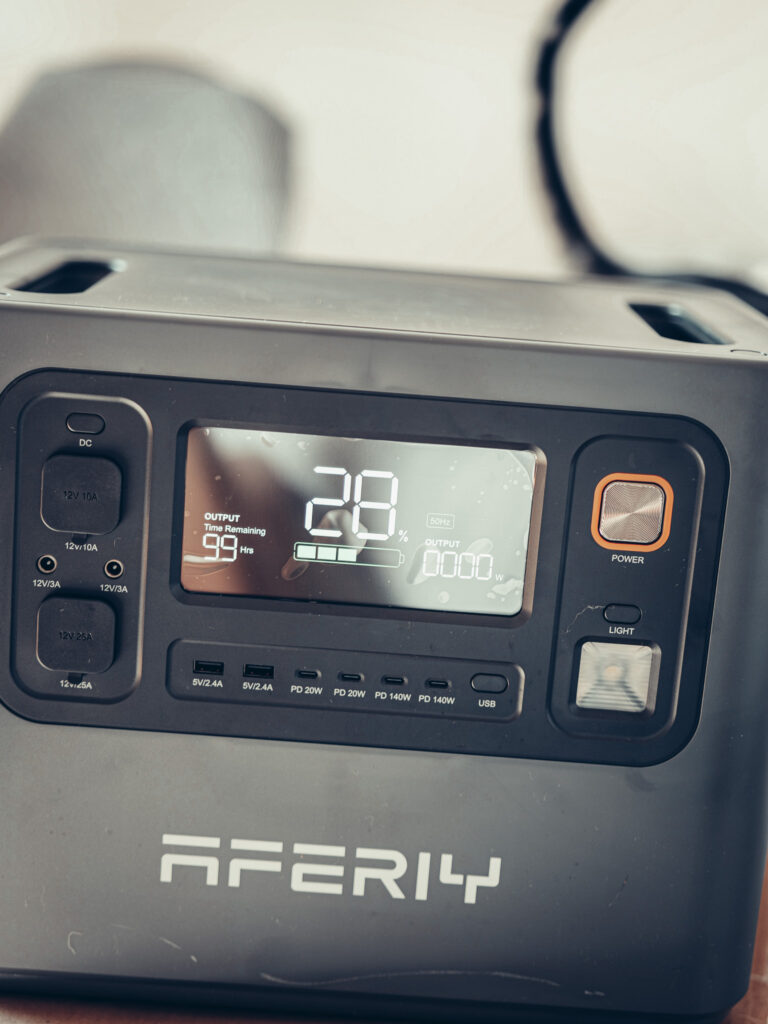
The design remains in line with what AFERIY has done from the beginning: a station wider than it is tall, with the screen on one of the large facades. And it is precisely this choice that allows them to have a screen much larger than the competition.
Be careful, bigger does not necessarily mean better, I am not going to sell you a dream. It is not a screen with small pixels, it is big pixel. But the remaining battery percentage is displayed in very, very large numbers, and for something you look at from afar, sitting in a corner of the room, that is exactly what you need.
Ports on three sides, and nothing at the back
On the main facade, you have the screen, two USB-A, four USB-C (two at 20 W and two at 140 W), the Power button, an integrated light, and buttons to activate or turn off the outputs.
The ports are spread over three sides out of four, nothing at the back. Some brands group everything at the front and back, others go for a format taller than wide. This is a design choice specific to each manufacturer, I am not saying that one is better than the other, but it changes the way you place it against a wall.
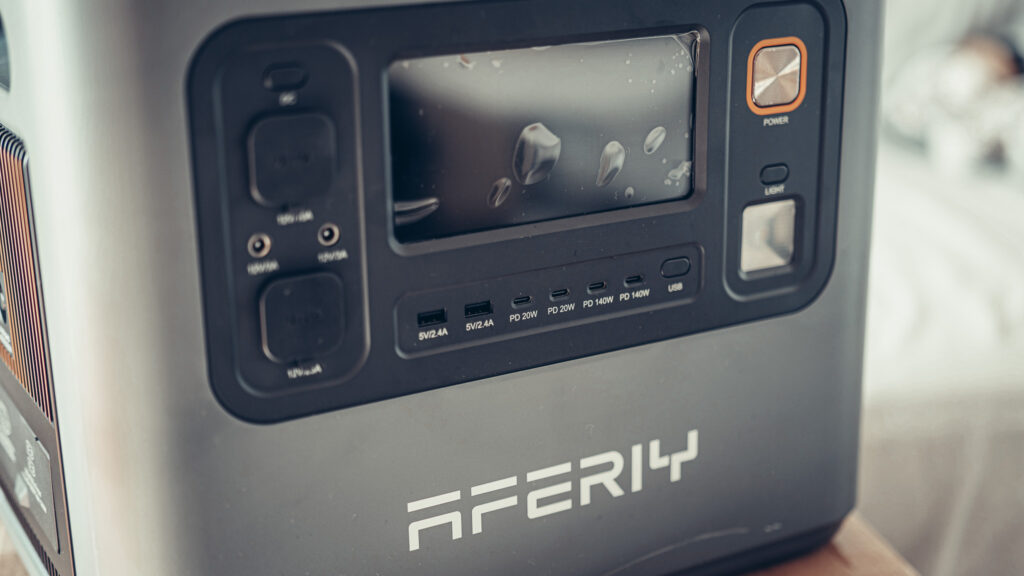
The light, on the other hand, I am still trying to figure out what it is really for (it has become a running joke for me, all brands put one on). Outside, fishing or camping, I see the point: signaling the station so that no one steps on it or rolls over it. In a living room, not so much.
The buttons that cut off the outputs, however, are quite simple but prevent energy loss by powering outlets that you are not using. I have not measured the idle consumption, so I will not give you a figure, but the principle is good.
On the left side, charging: mains and 1,200 W solar
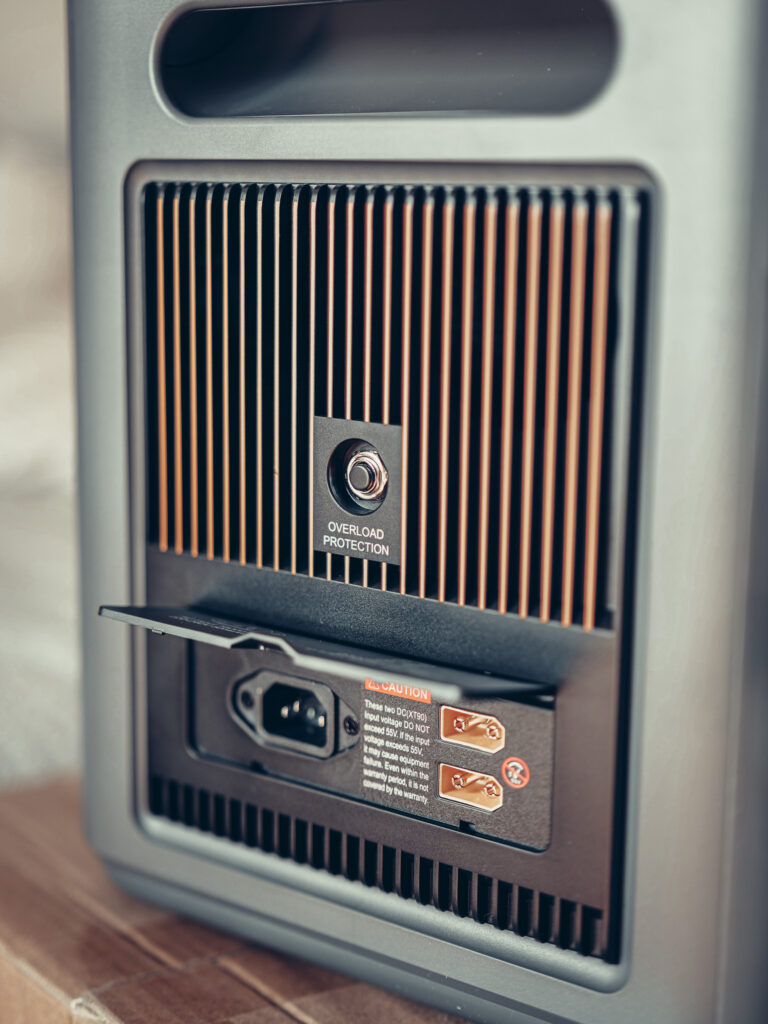
When you are facing the screen, the entire charging part is on the left: the mains input, and two solar XT90 inputs of 600 W each, for a total of 1,200 W.
For a battery of this capacity, I find that generous. With a decent panel setup, you can expect very fast charging of the station alone, without adding anything else. The two channels are separately adjustable in voltage and current, allowing you to mix solar on one channel and a vehicle source on the other.
On the right side, three sockets and the extension port
On the opposite side, therefore on the right, you find three 220-240 V output sockets, for 3,000 W in total and not per socket (this is the classic misunderstanding, let’s say it right away). And an extension connection, to stack batteries.
The number of sockets still surprised me. Three is unusual, brands usually go for even numbers. I am not going to make a drama out of it, but it is the kind of detail you notice when you have handled about fifteen.
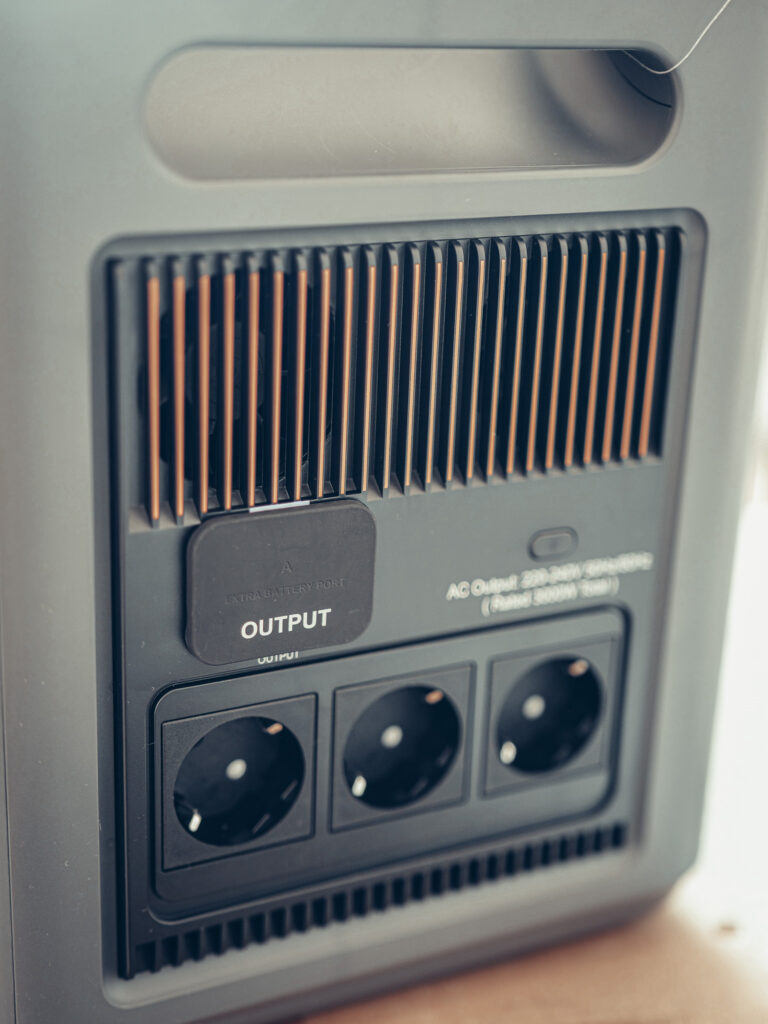
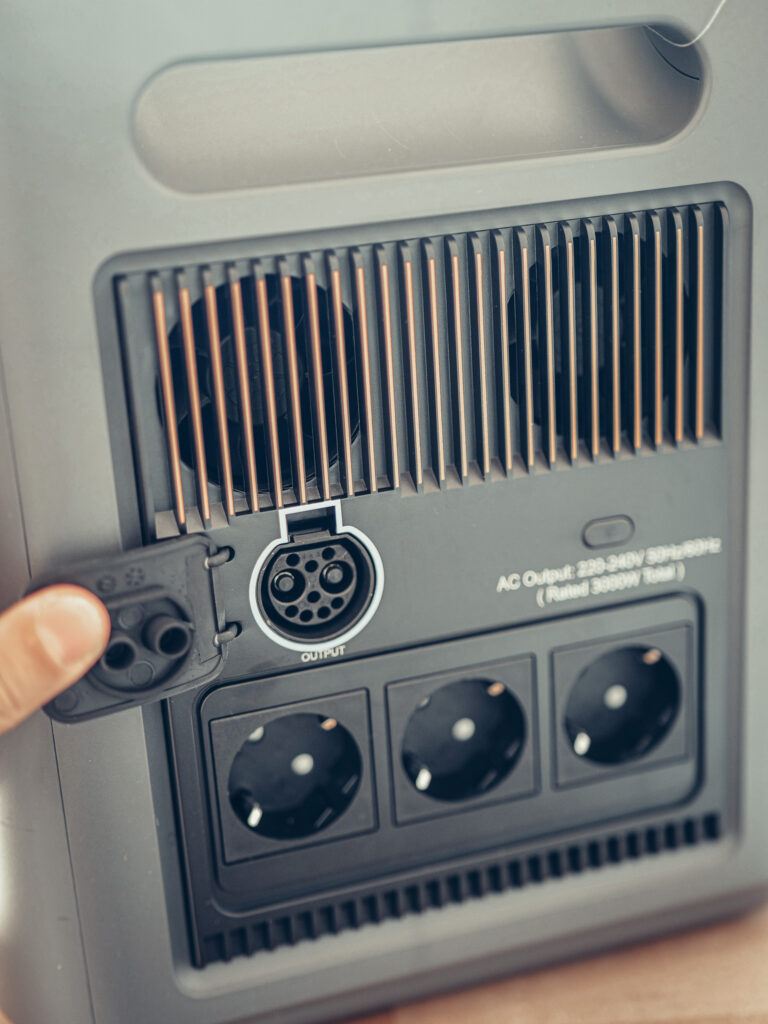
This extension port is still the real argument for this station: you start at 2,048 Wh and can go up to 10,240 Wh by adding up to four P280-B. Be careful not to confuse capacity and power, though: extensions increase duration, they do not increase the 3,000 W output. We have already explained when an extension battery is really worth it.

I'm Xavier
I test gear over months, in the van and day to day, and I say what doesn't work. If that saves you one bad purchase, leave me your address.
Ce que vous souhaitez recevoir :
The first charge: 26%, a peak at 1,800 W and 53 minutes
The first test I did was quite simple: plug it into the home network here in Portugal, with the battery at 26%. The input power gradually increased, with a peak at 1,800 W during charging, and the remaining time displayed quickly dropped from two hours to 53 minutes.
I find this charging speed interesting. But two clarifications, because I do not like numbers taken out of context: the 53 minutes is the station’s estimate, not a timed charge from 26 to 100%. And the 1,800 W is the peak observed, not a power maintained from start to finish.
Bright EMS, very basic but not useless
The application does not even bear the name AFERIY, it is called Bright EMS, and it is the same as on the P280. My opinion has not changed: I find it very basic. The interface will not win any awards.
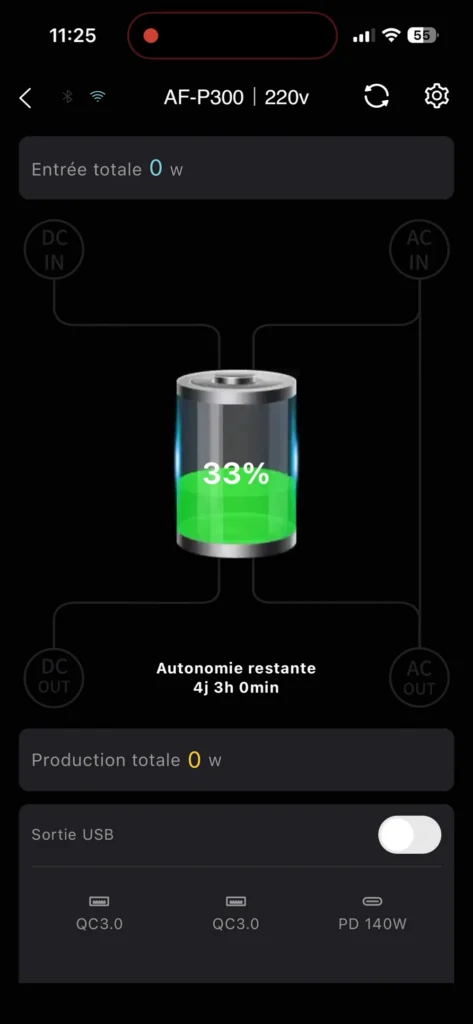
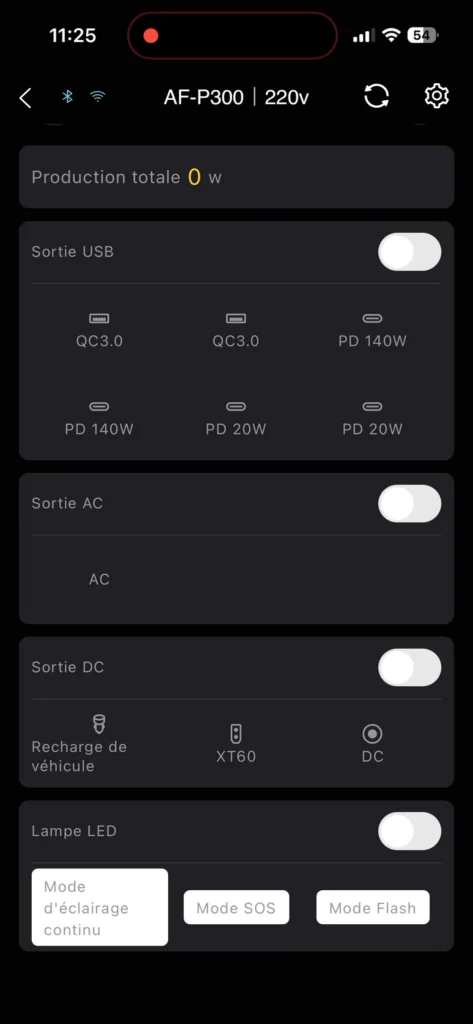
The dashboard replicates what you already see on the station’s screen (battery level, remaining autonomy, input and production in watts), and the controls replicate the physical buttons: USB outputs with details of the six ports, AC output, DC output with vehicle charging and XT60, and the LED light with its continuous, SOS, and flash modes.
That said, I took the screenshot I made and looked at it image by image because I wanted to know what it really brings compared to the station’s buttons. And there are still things that are not on the facade:
- a low discharge limit, to keep a reserve;
- a mains charging limit in EPS mode;
- a so-called silent mains charging mode;
- a programming of mains charging;
- a setting for charging power, and a current ceiling;
- the choice of the type of DC input (PV mode displayed on my screenshot);
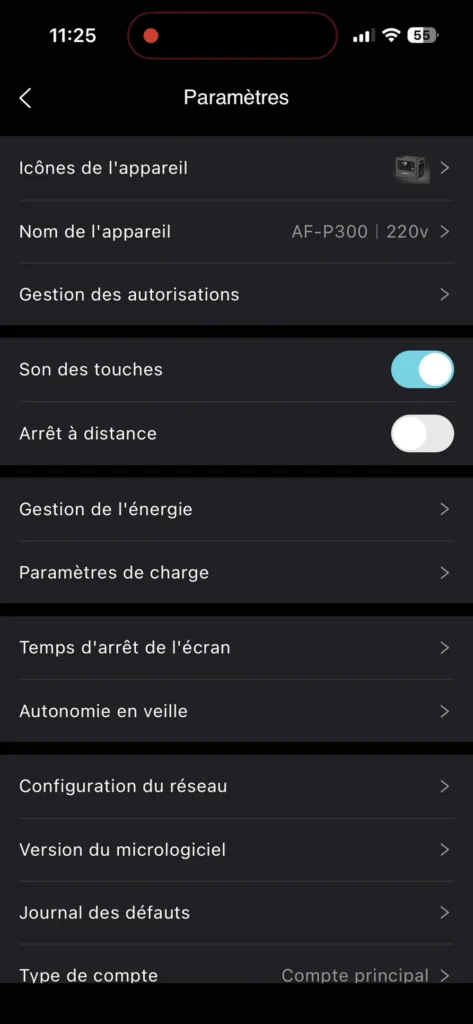
- the sound of the buttons, remote shutdown, screen off, and standby.
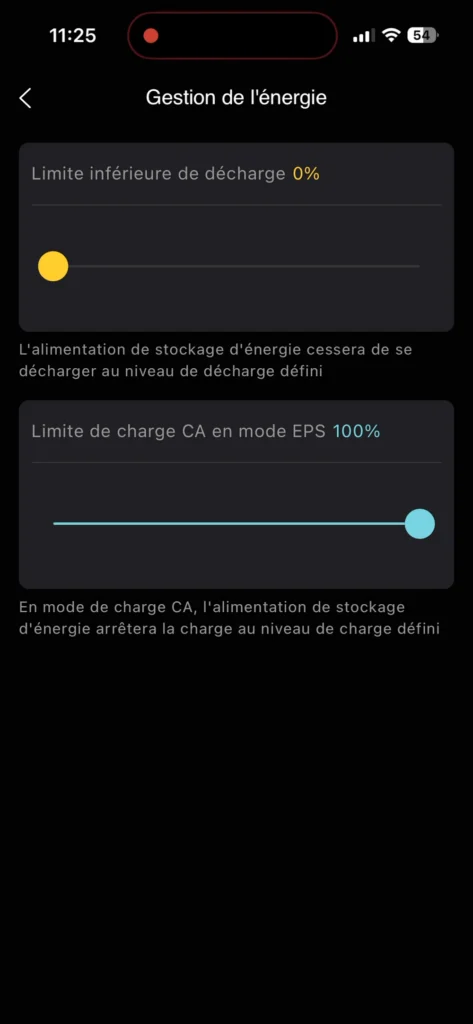
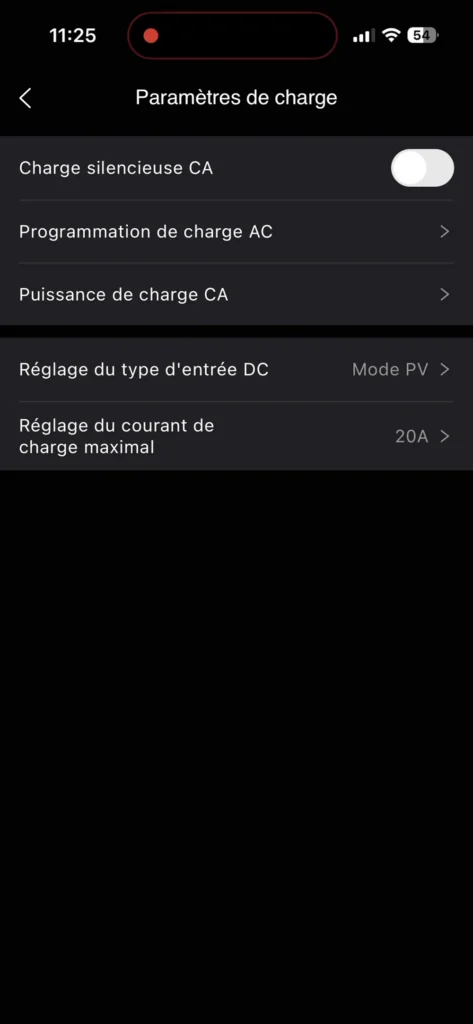


In detail: the energy management sets a low discharge limit and a mains charging limit in EPS mode, the charging parameters provide access to silent charging, programming, charging power, and a ceiling of 20 A on the DC input (set in PV mode at my place), and the last two screens manage screen off and idle standby times, eight hours on AC and DC, three minutes on USB.
So yes, very basic, but the charge and discharge thresholds are a real added value when the station remains plugged in permanently.
What I have left to do
To be completely honest, here is what this article does not yet tell you, and that I plan to measure: timed autonomy on real devices, the switch in case of power cut (AFERIY announces less than 10 ms, this is typically the kind of promise you verify by unplugging for real), the noise of the ventilation when working nearby, and the behavior with a connected extension battery.
If you are still hesitating between several brands before deciding, our comparison of portable batteries for motorhomes will give you the right markers, and we also wrote about the home backup battery that also goes on weekends, which is exactly the intended use case here.
Who it is for, and where to get it
If you want a serious home backup, expandable, with enough power not to worry about what device you plug in, it checks the boxes. If you are looking for a battery to take everywhere in a converted van, move along and look at the 1 kWh range: you will pay for weight and volume for nothing.
We received it as part of our partnership with AFERIY, and as usual, it does not change anything about what I tell you (the 21.6 kg is still 21.6 kg). With them, through our link, the code VANTOURUK gives -2% and the warranty can go up to 7 years, which is frankly rare in this market.
AFERIY Haven3000 P300 promo code
 In stock
AFERIY Haven3000 P300
VANTOURUK*
*Verified price on 6 November 2026. The final price may vary.
What I'm often asked about the P300
What is the difference between the P300 and the P280?
Both share the same base of 2048 Wh and the same extension up to 10,240 Wh with P280-B batteries. The difference lies in the AC output: 2800 W announced on the P280, 3000 W on the P300, which also receives the Bright EMS app and the new generation orange grids. If you already have a P280 that suits you, the P300 does not bring a spectacular leap.
Can the P300 be charged while driving, from the vehicle?
The two XT90 inputs accept 11.5 to 55 V and 20 A each, and AFERIY specifies that you can connect solar panels to one channel and a vehicle source to the other, with each channel being adjustable independently. You will need the right cable and, depending on your setup, a DC-DC charger: a standard cigarette lighter socket is far too limited for a battery of this size.
Does any solar panel work?
It's not a matter of brand but of voltage range: it must stay between 11.5 and 55 V in open circuit and under 20 A per input, with an XT90 connection. A panel exceeding 55 V can damage the device, and AFERIY warns that this case is not covered by the warranty, even during the warranty period.
What happens if I exceed 3000 W?
The 3000 W is the total of all the power outlets, not the power of each outlet. Beyond that, the station cuts off. There is also a physical overload protection button on the side with the power input: it's the one we reset after a trip.
Does the extension battery also increase power?
No, and that's the most common misunderstanding. A P280-B adds capacity, thus duration, not watts. Whether you stack one or four, the AC output remains at 3000 W. We detailed this logic in our article on extension batteries.
Can it be left plugged in permanently?
This is the intended use when it is used as domestic backup, and the application allows you to set the level at which the mains charge stops, as well as a low discharge threshold. Keeping a LiFePO₄ battery at 100% at all times is not ideal for its longevity: these settings exist precisely for that.
How long will the battery last over time?
The cells are LiFePO₄ 40135, advertised for over 4000 charge and discharge cycles, managed by an IEC 62619 certified BMS. When purchased directly from the brand, the warranty can go up to 7 years, which is rare in this market.
Can you take it on a plane?
No, and this is not specific to AFERIY. Airlines limit lithium batteries in the cabin to 100 Wh, sometimes 160 Wh with prior approval. With 2048 Wh and 21.6 kg, the P300 is far from compliant: it travels by car, by camper van, or not at all.
Our gear tests, in real conditions
Batteries, solar, conversion, security. What we found after months of real use, and what we would not buy again. An email when we have actually tested something, not before.
Ce que vous souhaitez recevoir :