


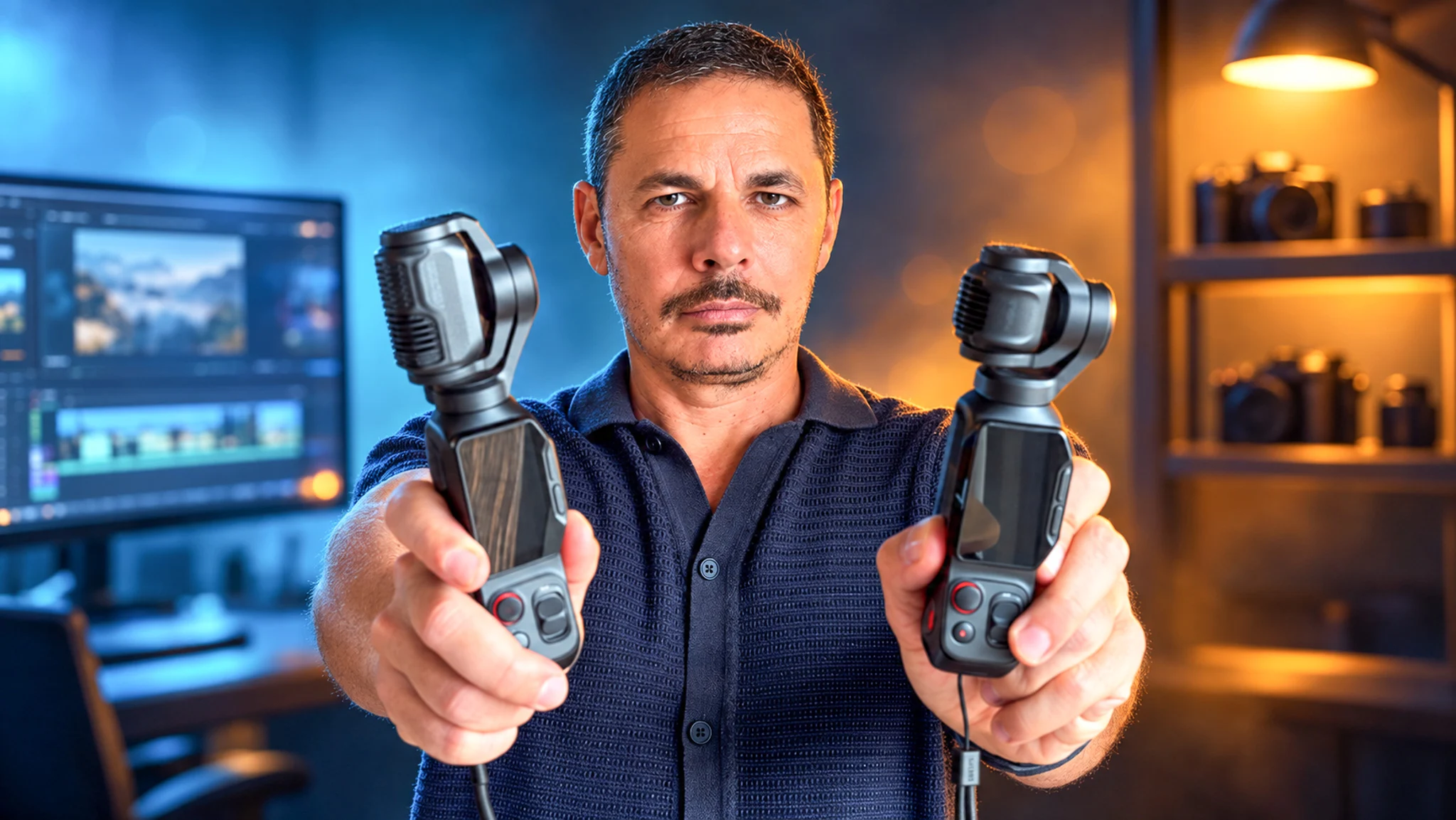
Well, let’s start where I was fifteen days ago: when I saw that Insta360 was releasing a Luna Pro alongside the Luna Ultra, I didn’t understand. Same brand, same range, same detachable screen, same gimbal, released a few months apart… I really wondered what the point of releasing this version was (and I say this all the more calmly since I thought it before having both in my hands, so I had plenty of time to be contradicted).
The answer is one word, and it’s the price. The Luna Ultra is starting to have a pretty high budget, it’s clearly not for every wallet, and the Pro should come in significantly lower. There you go. Except that it immediately raises the following question, the one that really interests me: what do we lose by paying less.
And that’s where it gets strange. When you lay the two technical sheets side by side, line by line, it’s the same camera. Same 1-inch sensor, same 8K at 30 frames per second, same 4K at 120, same 37 megapixels in photo, same mechanical 3-axis gimbal, same announced battery life, same internal storage, same four microphones, same Dolby Vision, same I-Log 10 bits. You go down the column, check, check, check…
And there are three lines that don’t match. The zoom, the sensor, and the weight. That’s it. There you go, the entire comparison fits in three lines (well, there’s a fourth, but it goes the other way and I’ll save it for later, it would be a shame to spoil the suspense).
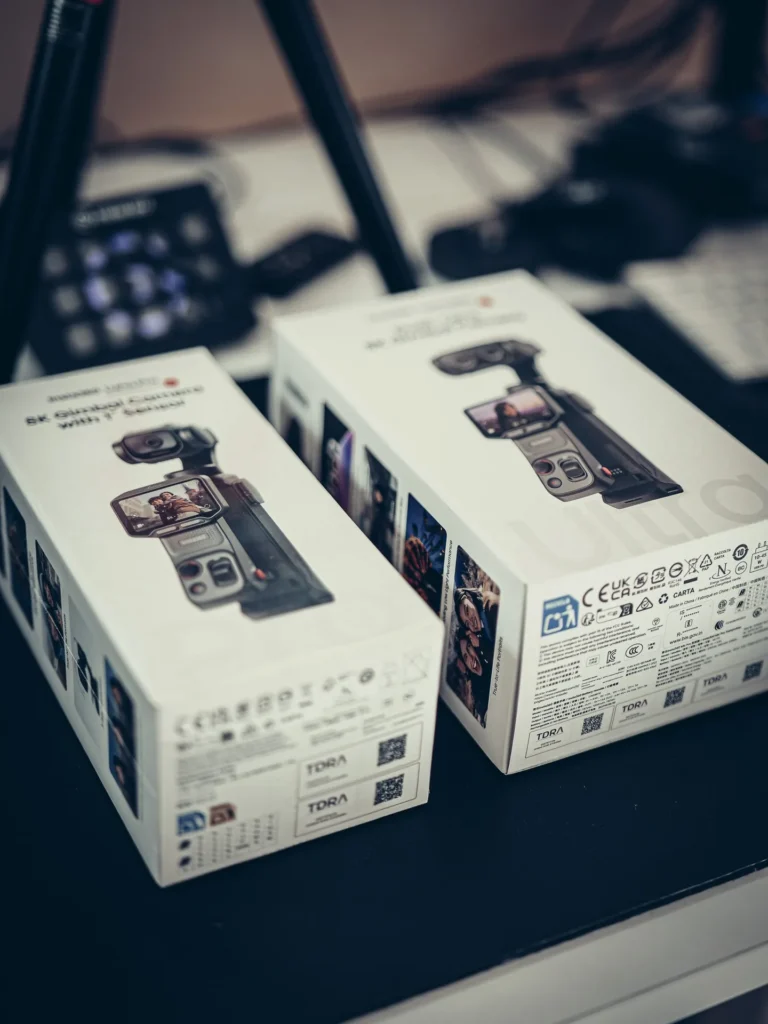
The most surprising thing is that this is verified even before opening anything: both boxes are the same vertical format, and once the cameras are out, they look very similar. You really have to look for the detail that distinguishes them… and it took me two weeks to find it, even though I handle them every day (well, maybe I don’t have the eye, but still).
So the question of this article is not “which one is better.” The answer is known in advance, the Ultra does everything the Pro does plus something. The real question, the one that no one asks you when you hesitate in front of the two product pages, is: is that something worth the price difference for you. And that doesn’t depend on the camera, it depends on the creator you are.
Three lines of difference, and only one that really matters
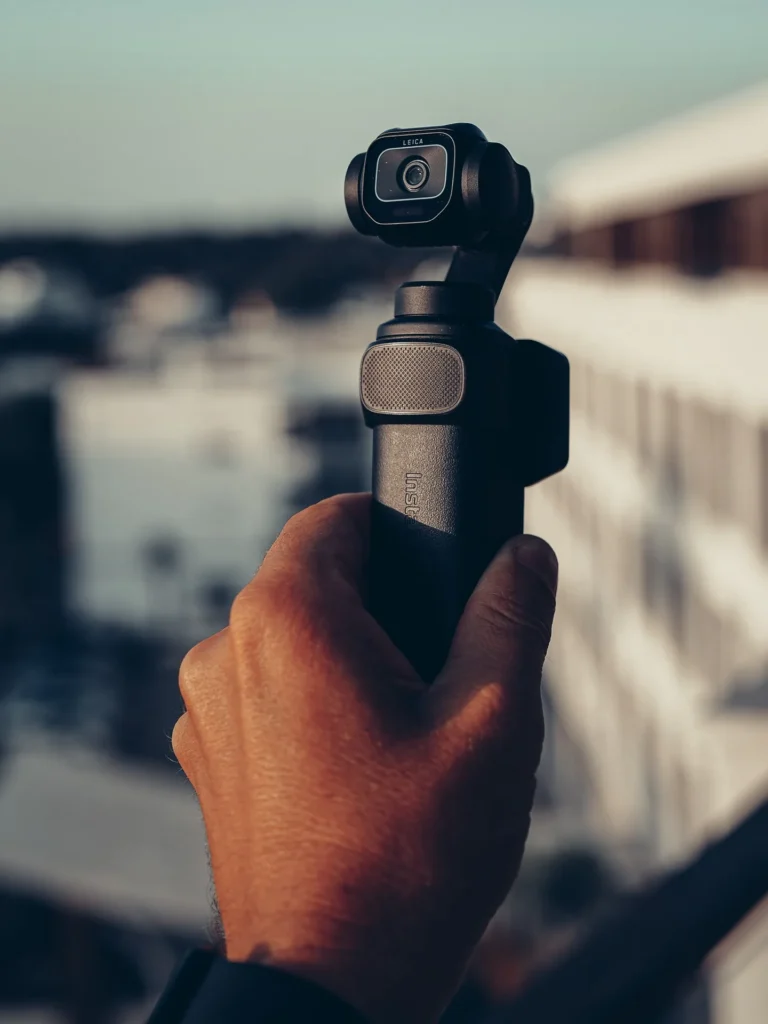
The Luna Ultra has two lenses. A main 20 mm equivalent lens that opens at F1.8 on the 1-inch sensor, and a real 60 mm telephoto at F2.0 on a smaller sensor, which it switches to when you zoom. The Luna Pro, on the other hand, only has the 20 mm (and it’s visible to the naked eye, the name is marked just above the sensor, there’s only one).
And we need to be precise about this 12x figure that everyone repeats, because it doesn’t mean what we think. Going from 20 to 60 mm is 3x optical zoom, real, the kind that doesn’t cost anything in quality because it’s glass. Then it continues up to 6x, which is equivalent to a 120 mm, remaining lossless, by pulling from the pixels of the telephoto. And the end of the run, the 12x, the famous 240 mm… there it’s hybrid, so there’s digital in it.
The Luna Pro, with its single lens, caps out at 4x with 2x lossless. In other words, and this is the only sentence to remember from this entire chapter: the Ultra goes three times further without losing any quality. We’re talking about an optical difference, not a software gimmick (and that’s important, because your phone already offers software zoom at will).
The weight, while we’re at it: 18 grams separate the two, and the Ultra’s body is 14 millimeters taller, with the same width and thickness (it needs to fit the second lens somewhere). In a pocket or in a fanny pack, honestly, you won’t notice the difference… and I say that having had both in the same bag for two weeks.
What kind of creator are you, and therefore which Luna
Before diving into the details, answer this, it will be quicker than reading me for ten minutes (you can always come back later to check that I’m not saying anything wrong).
What kind of creator are you, and therefore what kind of Luna?
What is the range really for
The best example I can give you comes from Scotland. We’re at the Stirling Castle, and across the valley, there’s the Wallace Monument tower. You see it, it’s there, and it’s completely out of reach of a normal camera (there’s a whole valley between the two, by sight it counts in kilometers). With the Ultra’s telephoto, you can point it and bring it into frame. And from the Wallace Monument, you do the opposite, you go looking for the castle. That is what the second lens gives you, and no pocket camera with a single lens will do it for you.
Two honest nuances though, because I won’t sell you a dream.
The first is that I don’t like to go into digital zoom. The 3x optical, yes. The lossless up to 6x, yes, that’s fine… But beyond that, when it becomes hybrid, personally I rarely do it, because you can see it (and a shot that is visible, you cut it in editing, so it’s better not to shoot it).
The second, and this might be the real argument for the second lens: this zoom is mounted on a mechanically stabilized gimbal. Zooming amplifies the slightest shake, which is why phone zooms are unusable while walking. Here, no. You increase the focal length and the shot remains clean. That’s what makes the range usable, not the number on the box (try zooming all the way with your phone while walking, you’ll understand right away what I’m trying to say).
And the little zoom of the Pro is still useful
Well yes, because 4x is not zero. And I realized something I hadn’t anticipated: the 2x lossless already gives a bit of background blur, which you don’t have at all in 1x. That’s enough to make a shot with a real focus on the subject, with the background dropping a bit… and that, on a camera you hold at arm’s length, is not nothing.
For someone filming themselves, it’s exactly the need (I didn’t expect to write this, honestly, I thought the 4x would just be a marketing line). You’re not trying to reach a tower two kilometers away, you’re trying to make your face stand out from the wall behind you. The 2x does that. There you go, it’s not the same job.
The vertical, the line where the entry-level comes out on top
So this one, I didn’t see it coming at all, and it’s the kind of thing you only see when you open the two official sheets side by side. However, it’s more subtle than just “the Pro does better,” so I’ll be precise.
We did the test stupidly, both cameras on the table, portrait mode activated on each, and we opened the resolution menu. On the Luna Ultra: 3K at 60 frames per second, and not a trace of 4K. On the Luna Pro: the same 3K at 60, plus a line of 4K at 30 frames per second. It’s as simple as that, and it can be verified in ten seconds if you have both on hand.
So it’s not a technical sheet reading, it’s what the devices display (and the brand’s manual says exactly the same thing on its side, for the Ultra: portrait mode activated, maximum 3K).
So if you mainly shoot for social media, in Reels, Shorts, or TikTok, the entry-level model gives you more definition than the higher model, in the mode you’re going to use every day. It’s stated, and it’s worth knowing before paying the difference (I know, it sounds strange, I also reread both sheets three times).
Now for the honesty, because it would be too easy to stop there: the Ultra is not condemned to 3K in vertical. Insta360 documents the workaround itself, and its wording is explicit, to film 4K in portrait it recommends holding the camera differently, not activating portrait mode. In other words, it’s doable, but it doesn’t happen in the mode intended for it, and it changes how you hold the camera while filming. On a Reel that you shoot quickly, at arm’s length, that matters.
Two clarifications to finish, because the table doesn’t say them. At 60 frames per second in vertical, both are equal in 3K: the Pro’s 4K is capped at 30 frames per second. So if you shoot your Reels at 60, this advantage disappears entirely, it’s good to know. And in portrait mode, neither of them will offer you 8K, so if you saw that number in an ad and you’re filming vertically… forget it, you won’t get it that way.
But the real interest of vertical on these cameras is elsewhere, and it’s purely practical: you save time and don’t take out your phone. You already have the Luna in hand, you switch to portrait, you shoot. And the mechanical stabilization gives you a cleaner shot than what your phone will produce, even though phones stabilize very well now, I’m not saying otherwise. By the way, when we have time, it’s not impossible that the phone remains a priority, Caroline’s iPhone 16 does very nice things… It’s really a question of timing: when it goes fast, it’s the Luna, and when we have time to set up the shot, it can be discussed.
What is rigorously identical, including the Leica
And this is where the story gets interesting. One might have thought that the Pro was a slightly stripped-down version everywhere, smaller sensor, less definition, fewer color profiles, the classic entry-level… well, no.
Both shoot in 8K at 30 frames per second and go up to 120 in 4K. Both produce 37-megapixel photos. Both have the same 3-axis mechanical stabilizer, the same 47 GB of internal storage (plus the slot for a microSD card), the same announced battery life, the same four microphones including one on the detachable screen, the same compatibility with the brand’s wireless microphones, and the same Dolby Vision and I-Log 10 bits profiles.
And there’s more. The mention Leica is engraved on the Luna Pro too, right next to the lens. We saw it on the device, in a photo, while the specification table we received from the brand doesn’t mention it anywhere. Without having both cameras in front of us, we would have concluded that the Pro didn’t have it, and we would have been mistaken. It’s the optics that are signed, not the casing, and it’s signed on both sides (which goes to show that a specs table mainly lies by omission).
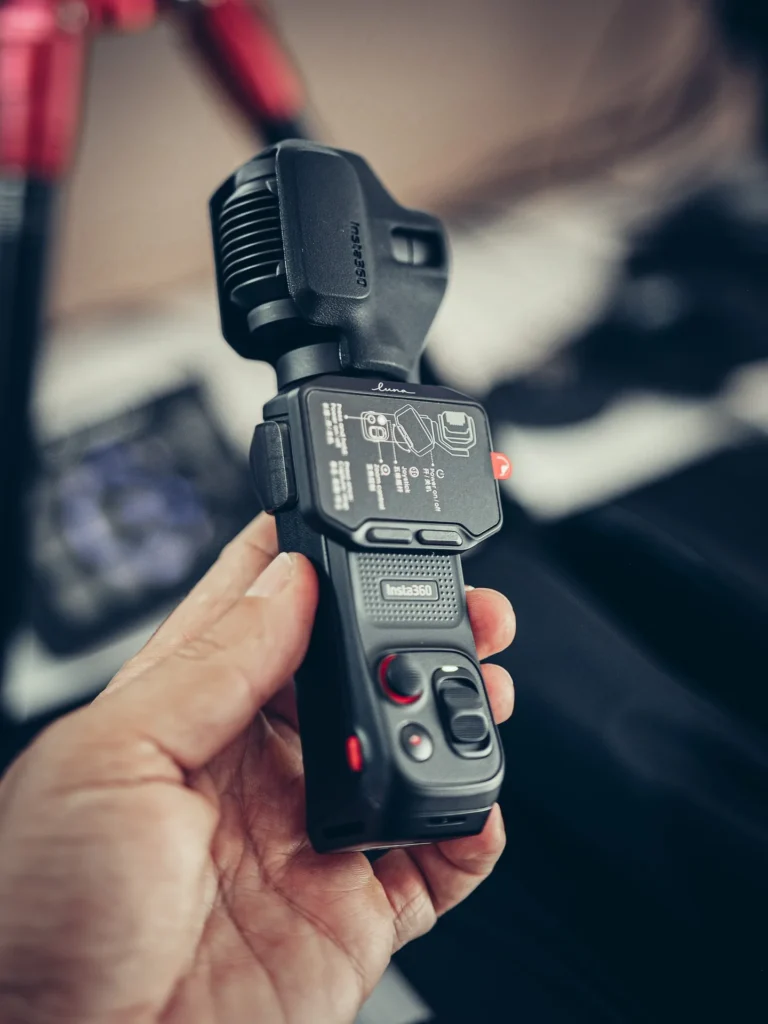
Even the heating is identical, just to be thorough: on both, when the PureVideo mode is running, you feel the hand getting a little warm. It’s not alarming, the camera itself warns on the screen during very long takes, and it doesn’t stop for that. But it doesn’t differentiate the two models… so if you were looking for an argument on that side, there isn’t one.
The specifications, line by line
Since all this ends up being a lot of numbers, here’s the table. It compares the two sheets attribute by attribute, and you’ll see right away where the three lines I mentioned at the beginning are.
Comparison of Insta360 Luna Pro Camera gimbal 8K Leica and Insta360 Luna Ultra Camera gimbal 8K Leica

£469,00
See the product
|
£649,00
See the product
|
|
|---|---|---|
| Net Weight | 0.22 kg (0.47 lb) | 0.23 kg (0.51 lb) |
| Application | ✓ | ✓ |
| Connectivity | Wi-Fi 6, Bluetooth, USB-C 3.0 | Wi-Fi 6, Bluetooth, USB-C 3.0 |
| Storage | 47 GB internal + microSD up to 2 TB | 47 GB internal + microSD up to 1 TB |
| Audio | 4 built-in mics (1 on the detachable screen) + compatible Insta360 Mic Air / Mic Pro | 4 built-in mics + compatible Insta360 Mic Air / Mic Pro |
| Sensor size | 1" single lens F/1.8 | 1" main sensor + 1/1.3" telephoto |
| Max video resolution | 8K at 30 fps (up to 4K at 120 fps) | 8K at 30 fps (up to 4K at 120 fps) |
| Photo resolution | 37 MP (UltraPhoto) | 37 MP (UltraPhoto), 200 MP panorama |
| Zoom | 1-4x (2x lossless) | 1-12x (photo and video) |
| Stabilization | Mechanical 3-axis gimbal | Mechanical 3-axis gimbal |
| Battery life | 240 min | 240 min |
| Colour profiles | Standard, Dolby Vision, 10-bit I-Log | Standard, Dolby Vision, 10-bit I-Log |
| Dynamic range | - | 14 stops (10-bit I-Log) |

I'm Xavier
I test gear over months, in the van and day to day, and I say what doesn't work. If that saves you one bad purchase, leave me your address.
Ce que vous souhaitez recevoir :
The two screens are not the same piece
You need to have both cameras side by side to see this, and I haven’t read it anywhere. Visually, the two bodies look very similar, but the screens are not identical at all.
The Luna Pro has a plastic strip above the screen, with the word Luna written on it. The Luna Ultra does not have it. And it’s not screen printing, it’s indeed an additional piece, with a rounded edge, and a display height that is not the same on both sides.
What surprises me about this is not the aesthetics, it’s the industrialization. Manufacturing two different panels for two models in the same range, given what a screen costs, is a choice, not a coincidence… I genuinely wonder why they didn’t put it on both (maybe two different suppliers, maybe something else, I don’t have the answer and I’m not going to make it up).
Does this mean that the two screens don’t display the same? For the Ultra, it’s documented: a 2-inch OLED panel, 318 by 564 pixels, 1000 nits of brightness, which explains why it can still be read in full sunlight. For the Pro, nothing has been communicated, neither the technology, nor the size, nor the brightness. So I’m not going to make up an answer… the question is posed to the brand, and I will update this paragraph.
The detail that no one compares: the protection
This one, you won’t find on any product page, and personally it’s the only real point that bothers me about the Luna Pro.
In the standard pack, the Ultra comes with a plastic block that surrounds the device and protects the gimbal head and the screen. The Pro, on the other hand, has a silicone cover. It’s very well made, it goes on and off by itself, it perfectly protects the lens and the gimbal, but it stops there: the screen remains bare.
The result is that with the Pro, the provided case is no longer a packaging bonus, it becomes mandatory to transport the camera. If you carry it bare in a bag with keys, it’s the screen that takes the hit, and on a camera whose screen is precisely the main argument (it’s the remote control, it’s your feedback when filming yourself), a scratch on the touchscreen is not a cosmetic blemish. I prefer the plastic block of the Ultra a hundred times, there, it’s said (and yet it takes up more space, so it’s really not for comfort that I defend it).
In our case, everyone took theirs without discussing
And this is probably the strongest argument of this entire article, because we didn’t make it for the needs of the test.
When the Luna Pro arrived, no one argued to have it. It went to Caroline, I kept the Luna Ultra, and we didn’t even question it. It was while editing the rushes that I understood why it happened so naturally: Caroline is a UGC content creator, it’s her job, she films for brands. I create travel content, vlogs, destinations… each took the tool of their profession without even thinking about it.
A UGC creator, for those who don’t know the acronym, is someone who produces content for a brand, in their own name, with their face and voice. They need a good sensor, tracking that keeps them in frame, feedback without taking out their phone, clean sound, and a sharp vertical format. The Luna Pro does all that exactly like the Ultra… and it even does better in vertical.
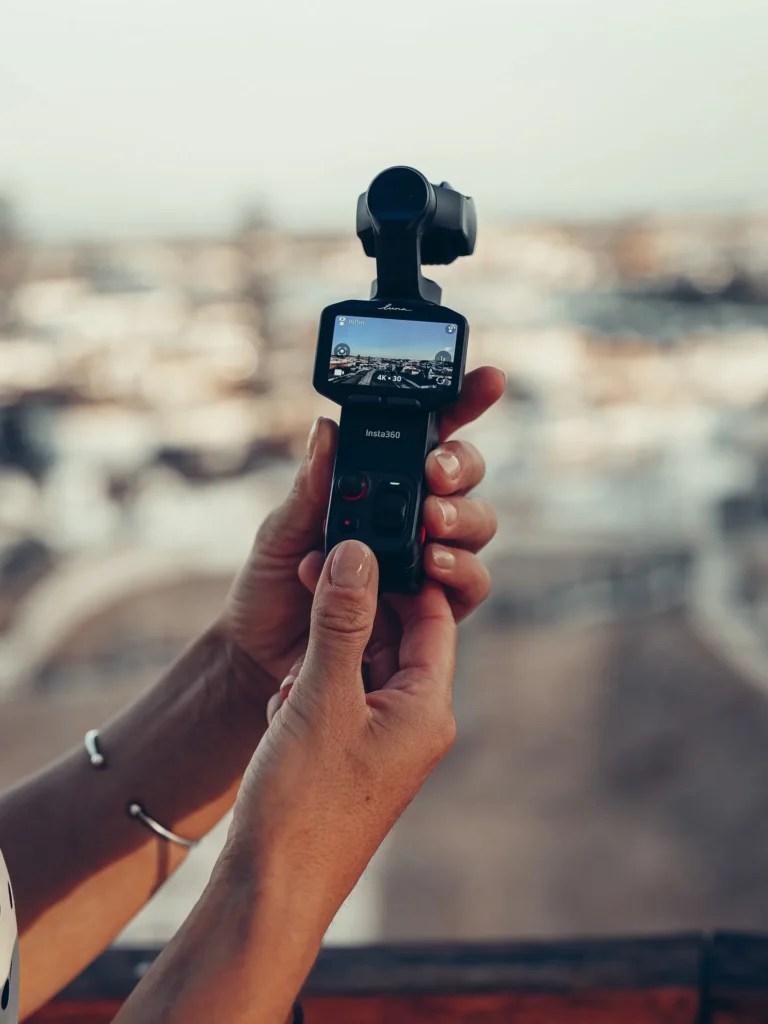
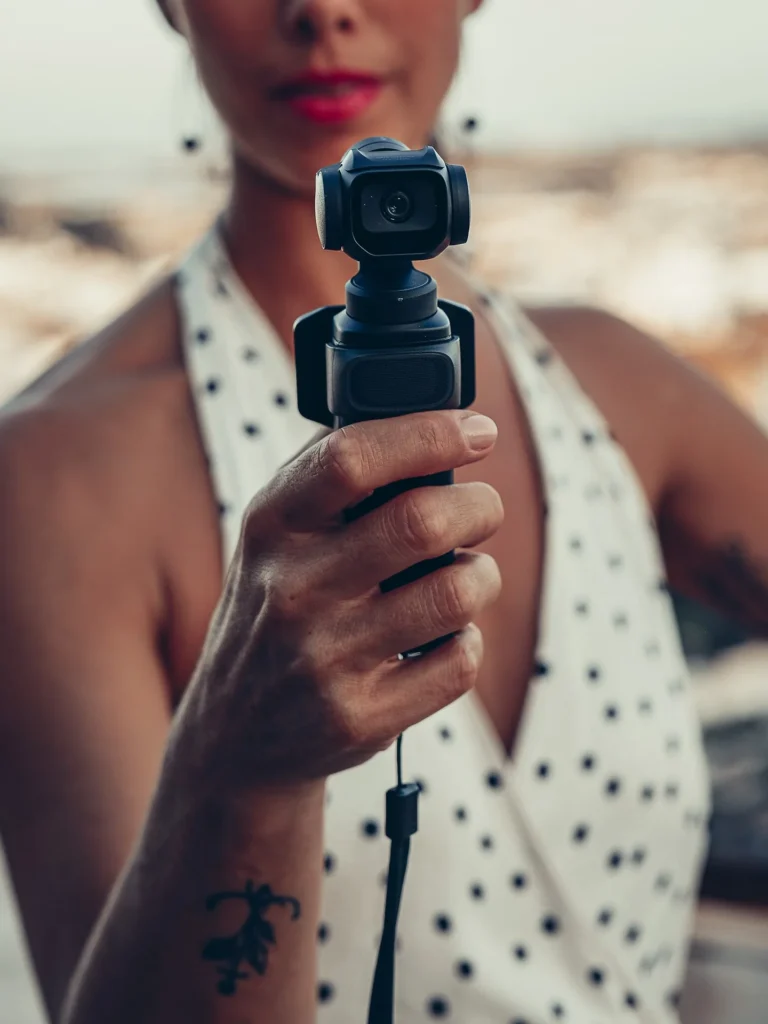
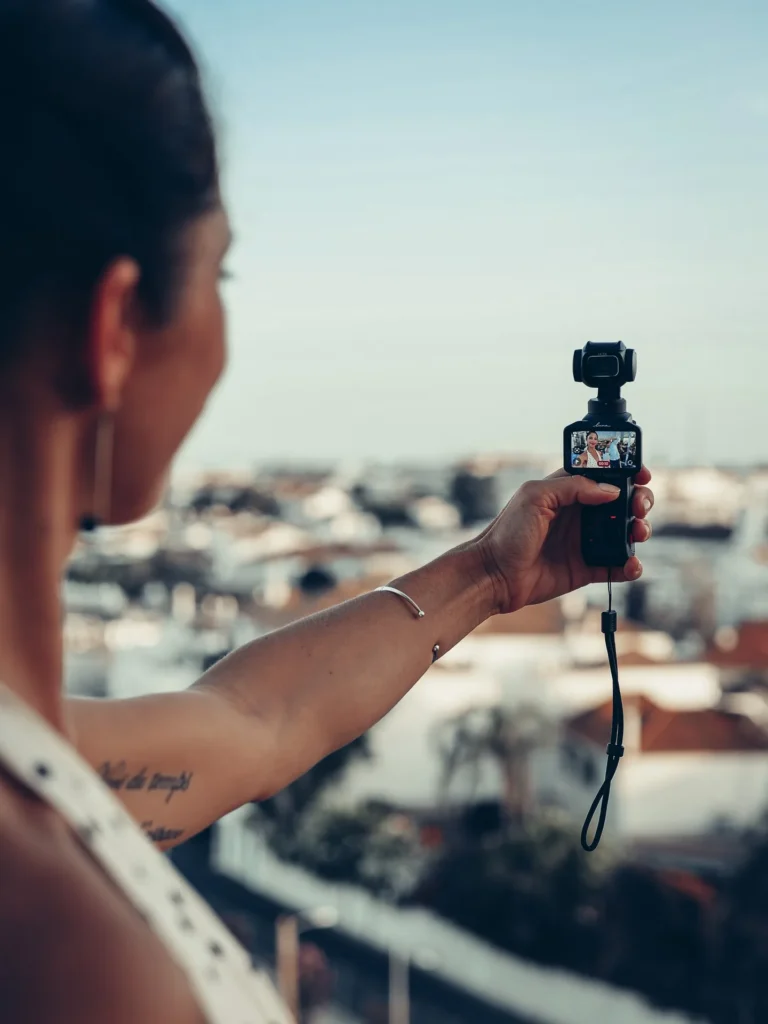
These photos are the first outing of the Luna Pro, on a rooftop in Tavira, at the end of the day when the light starts to fade. Caroline holds it outstretched, and there you have it, that’s literally the gesture this camera was built for.
The day we shot with two cameras and two mics, each connected to its own, unlocked a format we couldn’t do cleanly before. Two voices captured simultaneously, no boom pole and no re‑sync later. That’s also the real answer to “which one do I take”: sometimes it’s both, but not for the reasons you think.
The price, and why it decides everything
I told you at the start that the answer to my confusion lay in the price. It’s time to come back to it, because if the two cameras cost the same, this article wouldn’t exist and you’d take the Ultra with your eyes closed. The whole question is the gap (and incidentally, it’s the only thing I can’t give you a figure for as I write this).
That’s not a tester’s deduction, by the way. We asked the brand directly, and they confirmed it in writing: the price positioning is the product’s angle. The formula is there, and it sums it up better than three paragraphs of specs:
If you think the Luna Ultra is a great product but a bit too pricey, the Luna Pro is still there.
The up‑to‑date prices of the two models are in the comparison table above, I’m not freezing them here, they change (and I prefer an article that stays relevant for at least six months).
So, which one do you take
Look, I’m not going to tell you “one is for filming yourself, the other for filming in front of you”. That would be wrong: the Ultra does both, it has two lenses. The dividing line is elsewhere, it runs through the type of creator you are.
The Luna Pro is the UGC creator’s camera. You shoot for brands, you do product reviews, tutorials, vertical content for social. You get the same sensor, the same Leica‑branded image, the same detachable screen, the same audio, you even have more vertical resolution than the model above, and you don’t pay for a lens your job doesn’t need. Just make sure you carry it in its case.. it’s non‑negotiable, see above.
The Luna Ultra is the travel content creator’s camera. You do vlogs, destinations, places, events. You’ll end up in front of things you can’t get close to, and that’s where the stabilised 60 mm changes your video. It also does everything the Pro does, so you lose nothing when filming yourself (except a bit of vertical resolution, but if that’s your profile that’s probably not your priority).
Our verdict on Insta360 Luna Ultra Camera gimbal 8K Leica
Benefits
- 1" dual lens + Leica co-designed telephoto, 8K video: image quality above the rest
- Integrated 3-axis mechanical gimbal, no need for a separate stabilizer
- 2" detachable touchscreen: discreetly film yourself (restaurant review, solo vlog)
- 233 g and pocket-sized: designed for vanlife, travel, and cabin baggage
- 4 built-in microphones + compatible with Insta360 wireless microphones (Mic Air / Mic Pro)
Disadvantages
- Starting price that feels like a classic action camera
- Brand new product: ecosystem of packs and accessories still young
- High demand at launch, risk of stock shortage
For a creator or a travel duo looking for a single finished, stable, and compact camera rather than a bulky hybrid, the Luna Ultra is an obvious choice. We ordered it ourselves to replace our Sony, which says a lot.
And if, as you read this, you think your need is more about filming hands‑free while you tinker or walk, then it’s neither: go check the GO Ultra, that’s a completely different tool. Same if the 360 is what draws you, we covered it in detail on the X6.
People will inevitably ask where DJI’s Pocket fits in… and to be honest, I’ve never had it in my hands. So I won’t give you a second‑hand comparison of gear I haven’t tested, it’d be pointless… the day we get it, we’ll talk about it.
The detail of each model, with lived experience, drawbacks and annoyances, is in the two full reviews.
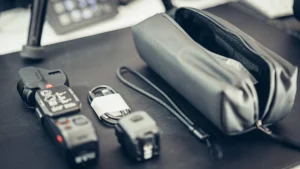
Insta360 Luna Pro: our review after the first shoot
The Luna Pro features the 1-inch sensor, Leica optics, and the gimbal from the Luna Ultra, minus the telephoto lens. Our opinion after an evening of shooting.
Read more
Insta360 Luna Ultra: two months later, our real field test
Our review of the Insta360 Luna Ultra, the all-in-one 8K Leica gimbal camera. Is it the best camera for traveling? Comparison, price, and promo code.
Read moreThe promo code works on both
We’re partners with the brand, so to be clear: the links below are affiliate links, they don’t change your price and they haven’t changed what you’ve just read (the screen‑protection gripe, we could’ve omitted it, we didn’t).
The code VANTOUR works across the whole range, it gives you a free accessory. The details are on our Insta360 promo code page.
Your questions about the Luna Pro / Luna Ultra duel
Do both cameras use the same app?
Yes, it's the same Insta360 app for both, with the same pairing logic and the same menus. If you're already familiar with a device from the brand, you won't feel out of place with either. This is actually a constant with them: the setup takes two minutes, one click on the phone, one click on the camera, and it's done.
Are the accessories compatible between the Luna Pro and the Luna Ultra?
For the brand's wireless microphones and the POV Head Tracker, yes, both cameras accept them. For the rest (protection blocks, filter holders, mounts), the brand has not yet provided us with the compatibility list. We won't make you buy an accessory based on an assumption; we will update this answer when we have the official response.
Will the protection block of the Luna Ultra fit the Luna Pro?
That's the question we're asking too. This rigid block, which protects the gimbal head and the screen, is supplied with the Ultra and is also sold separately for not much. The doubt comes from the shape of the case: the Luna Pro has a plastic band above its screen that the Ultra does not have, so there's no guarantee that the piece will fit. We'll test it as soon as the Pro is on sale and we'll update this answer.
Can the detachable screen of one be used on the other?
This is not documented anywhere, and we have good reason to be wary: the two screens are not physically the same piece, the display height differs, and one of them has an additional plastic strip. As long as we don't have written confirmation, we consider that each screen stays with its camera.
Which is the best for shooting vertical Reels?
The Luna Pro, and it's counterintuitive. Menu in hand, portrait mode activated, it offers 4K at 2160x3840 at 30 frames per second, while the Luna Ultra stops at 3K at 1728x3072. Two honest nuances nonetheless. The Ultra can film in vertical 4K, but by holding the camera differently, which Insta360 explicitly recommends instead of portrait mode. And at 60 frames per second, both are equal in 3K. One last important point: this assessment applies to the current software version, an update may well change the available definitions on either side.
Should you buy a microSD card for one or the other?
Neither one nor the other at first: both come with 47 GB of internal storage and a slot for a card, which you can add later. That's about an hour and a half in 4K at 60 frames per second before you need to empty it. For a full day of shooting, the card quickly becomes comfortable.
Are they waterproof?
For the Luna Ultra, the answer is official and it is clear: the manufacturer's manual states explicitly that it is neither waterproof, nor splash-resistant, nor dustproof. For the Luna Pro, no protection rating has been communicated. Given what is stated in the specifications of its big sister, we assume it is the same: no rain, no spray, no sand.
I already have the Luna Ultra, is the Luna Pro worth it for me?
One only, but it is real: shooting in pairs. Each with their own camera, each with their own microphone, two voices captured cleanly simultaneously, without a boom and without re-synchronization in editing. This is exactly what we do at home. If you shoot alone, however, a second camera that performs less than the first is not very useful.
Does the promo code work on both models?
Yes, it applies to the entire range of the brand, Luna Pro as well as Luna Ultra. The code and what it provides are displayed higher up in the article; we do not write them down in a response to avoid leaving an expired offer lying around.
Tested first, recommended after
Batteries, solar, conversion, security. What we found after months of real use, and what we would not buy again. An email when we have actually tested something, not before.
Ce que vous souhaitez recevoir :